Instagram Comment-to-DM Not Sending? 10 Fixes That Work (2026)
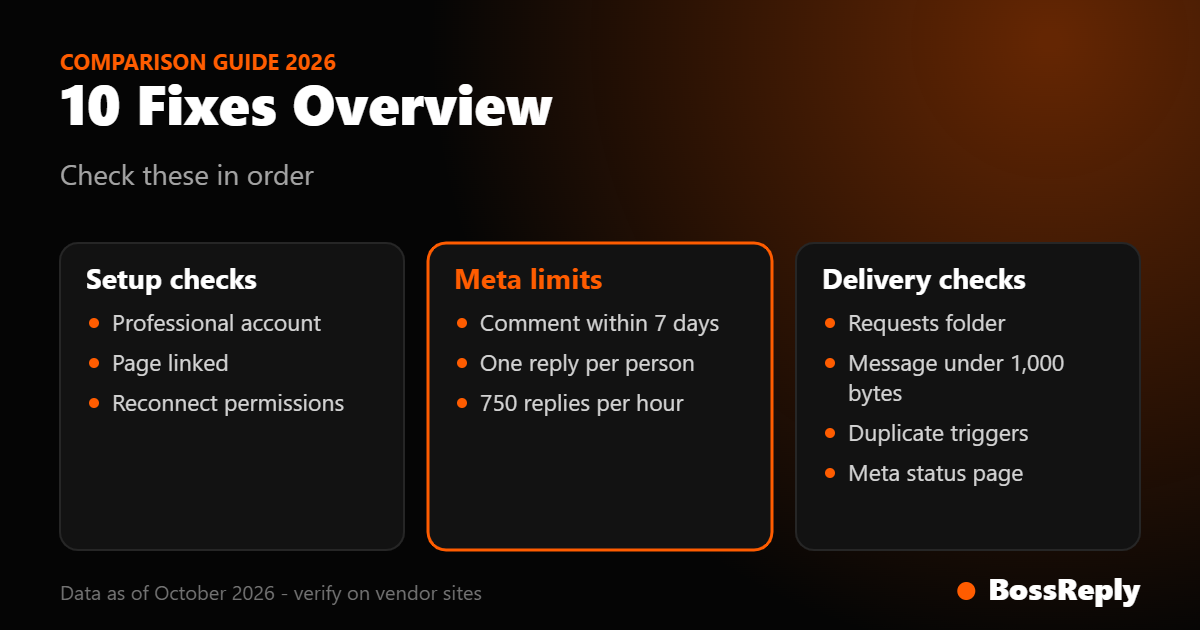
Short answer: when an Instagram comment-to-DM automation does not send, the cause is usually one of ten things: the connection or account type, a comment older than seven days, a second reply to the same person, a keyword mismatch, a rate limit, a message that lands in Requests, an invalid message format, a Live comment after the broadcast, duplicate triggers, or a Meta outage. Work through them in this order.
Last updated: October 17, 2026. Written by the BossReply Team. BossReply is our product and includes Instagram comment-to-DM; the fixes below apply to any tool, and we mark every figure we could not verify.
Key takeaways
Meta lets an app send only one private reply per commenter, within 7 days of the comment. Many "not sending" reports are simply these limits working as designed.
Your Instagram account must be a professional account linked to a Facebook Page, and the connection must still be valid. Expired or changed permissions silently stop automations.
Delivery is not the same as being seen: if the commenter does not follow you, the DM goes to their Requests folder.
Test with a second account, change one thing at a time, and read your tool’s activity log before touching settings.
How does Instagram comment-to-DM actually work?
Instagram comment-to-DM watches the comments on a post, reel or Live, spots a keyword, and sends the commenter a private message through Meta’s "private replies" feature. It does not post a public reply unless your tool adds one separately.
Meta’s developer documentation (read October 2026) describes the rules your tool must follow. A private reply to a comment on a post, ad post or reel has to be sent within 7 days of the comment. For Instagram Live comments it can only be sent while the broadcast is running. Only one private reply per commenter is allowed, and the conversation can continue only after the person replies to that first message. After they reply, the normal 24-hour messaging window applies. Because these are Meta rules, every vendor is bound by them, which is why a fix in one tool often looks the same in another.
The 10 fixes, in the order to try them
# | Symptom | Most likely cause | Quick fix |
|---|---|---|---|
1 | Nothing sends at all | Not a professional account, no linked Page, or expired connection | Convert, link, reconnect |
2 | Worked before, stopped today | Permissions or token changed | Reconnect and accept all permissions |
3 | Old comments get nothing | Comment older than 7 days | Only target recent comments |
4 | Same person gets no second DM | One private reply per commenter | Redesign the flow |
5 | Some comments are ignored | Keyword or post scope mismatch | Loosen the trigger |
6 | Stops during a viral post | Hourly rate limit | Spread out or expect a delay |
7 | Sent but nobody sees it | Requests folder or filtering | Ask people to follow first |
8 | Send errors in the log | Message too long or bad link | Shorten and test the link |
9 | Live comments ignored | Broadcast already ended | Run it during the Live |
10 | Duplicates or odd gaps | Duplicate webhooks or a Meta outage | Deduplicate and check status |
1. Check the account type and the Page link
Meta’s private reply feature requires a Facebook Page linked to an Instagram professional account. A personal profile cannot use the API at all. In Instagram, switch to a professional (business or creator) account, link the Page, and then reconnect in your tool. If your Instagram login and your Facebook login belong to different people, make sure the person connecting has permission to message from the Page.
2. Reconnect to refresh permissions
Tools access Instagram through tokens and permissions such as instagram_manage_comments and pages_messaging. If you changed your password, removed the app from your Facebook settings, changed Page roles, or declined a permission during setup, sending can stop without an obvious error. Disconnect, reconnect, and accept every permission the tool requests. Then post a fresh test comment.
3. Respect the 7-day window
If you switched an automation on today and expected it to message people who commented last month, it cannot. Meta only allows private replies to comments from the last 7 days. Backfilling older commenters has to be done by a human, one at a time, from the Instagram app.
4. Remember: one private reply per commenter
Meta allows a single private reply to each commenter. If a person comments the keyword twice, or on two posts you automated, they may receive nothing the second time. Do not design a flow that depends on sending three DMs in a row to someone who has not answered. Make the first message do the work: deliver the link or ask one clear question, and continue only after they reply.
5. Compare the keyword and the post scope
Keyword triggers are often stricter than people expect. Check whether your tool matches the exact word, any word in the comment, or a list; whether capitalization, emoji or extra words matter; and whether the automation is attached to all posts or only specific ones. A comment such as "Guide please!" may not match a trigger set to the exact word "GUIDE" in a strict-match tool. Add common variants and typos, and test with the exact text your followers actually write.
6. Look at rate limits during a spike
Meta’s Messenger Platform rate-limit page lists 750 calls per hour per Instagram professional account for private replies to comments on posts and reels, and 100 calls per second for replies to Live comments. A viral reel with thousands of comments can exceed 750 in an hour. Tools may queue the overflow, so some people receive their DM late rather than never. Meta may change these numbers, so confirm on the official page.
7. Check whether the DM is sitting in Requests
Meta documents that if the commenter follows your account, the private reply goes to their Inbox; if they do not follow you, it goes to their Requests folder. Your tool will report "sent" while the person sees nothing in their main inbox. Say so in the public post: "Comment GUIDE and check your message requests." Some vendors also report that Instagram filters templated or high-volume messages into Hidden Requests, and that DMs to people who restricted message requests can be accepted by the API and then silently dropped. We could not confirm either behavior on an official Meta page, so treat them as reported, not proven.
8. Fix the message itself
Meta’s Instagram messaging documentation says text and links must be 1,000 bytes or less and links must be valid, fully formatted URLs. Emoji and Arabic or other non-Latin characters use more than one byte each, so a message that looks short can exceed the limit. Shorten it, include the full https:// address, and avoid attachments that exceed the size limits (images up to 8 MB, PDFs up to 25 MB).
9. Match Live comments to the live broadcast
For Instagram Live, a private reply is possible only while the broadcast is running. If your Live ended and the automation was supposed to catch late comments, it cannot. Run the keyword prompt during the Live, and tell viewers to comment before you end.
10. Rule out duplicates and outages
Meta notes that commenting on a boosted or ads post may trigger duplicate webhook notifications, so a tool should send no more than one reply per comment. If your log shows several attempts for one comment, the later ones are expected to be rejected. If everything fails at once for everyone, check Meta’s status page and your vendor’s status page before changing anything.
How do you test a comment-to-DM flow properly?
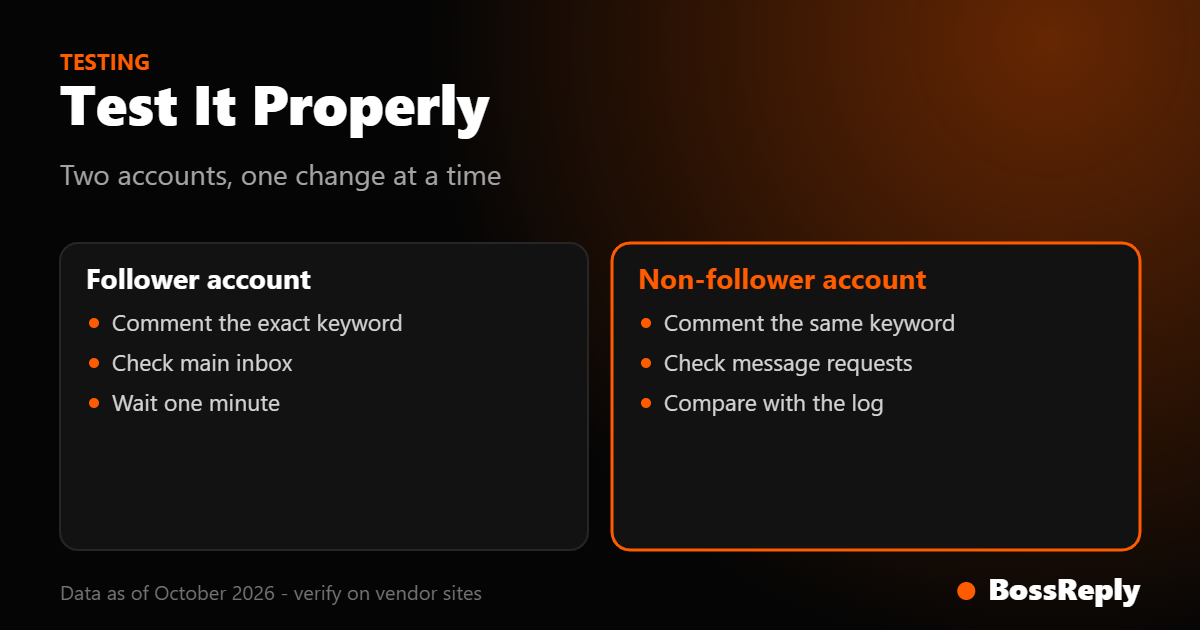
Test with a separate Instagram account that follows you and another that does not. Comment the exact keyword on a new post, wait one minute, and check three places: the tool’s activity log, the follower account’s inbox, and the non-follower account’s Requests folder. If the log shows "sent" and the message is in Requests, your automation works and your caption needs a better instruction. If the log shows an error, copy the exact text; it usually names the cause. Change only one setting between tests, otherwise you will not know which change fixed it.
What should you do when nothing works?
Contact your vendor with the post link, the time of the test comment and the commenter’s username. If your tool cannot show logs at all, that is itself a reason to compare alternatives; our comparison of comment-to-DM tools covers what to look for, and our comment-to-DM page shows how BossReply handles it.
Frequently asked questions
Why is my Instagram comment-to-DM not sending?
Start with the account (professional and linked to a Page), then the connection (reconnect), then the limits: comment within 7 days, one reply per commenter, and the hourly cap during spikes.
How long do I have to send a DM after a comment?
Seven days for comments on posts, ads posts and reels, according to Meta’s documentation. For Live comments, only while the broadcast is running.
Can I send more than one automatic DM to the same commenter?
Not as private replies. Meta allows one per commenter. You can continue the conversation only after the person replies, inside the 24-hour messaging window.
Why does the tool say sent but the person says they got nothing?
Non-followers receive private replies in the Requests folder. Ask them to check there, or to follow you first.
Does comment-to-DM work with a personal Instagram account?
No. Meta’s documentation requires an Instagram professional account linked to a Facebook Page.
Does BossReply post a public reply to the comment?
No. BossReply’s comment-to-DM catches a keyword in a comment and sends the DM automatically; it does not post a public reply.
Sources and method
Meta for Developers, Instagram private replies (developers.facebook.com/docs/messenger-platform/instagram/features/private-replies), read October 2026: 7-day window, Live rule, one reply per commenter, Inbox versus Requests delivery, required permissions and duplicate-webhook note.
Meta for Developers, Instagram Messaging API (developers.facebook.com/docs/instagram-platform/instagram-api-with-instagram-login/messaging-api), read October 2026: professional account requirement, 24-hour window, 1,000-byte text limit, attachment size limits.
Meta for Developers, Messenger Platform rate limits (developers.facebook.com/docs/messenger-platform/overview/rate-limiting), read October 2026: 750 calls per hour and 100 calls per second private reply limits.
Vendor blogs (reported, not confirmed by Meta): Hidden Requests filtering and silent drops for restricted accounts. We could not verify these on an official Meta page.
Rules and limits change. Confirm on the official Meta pages before relying on any number here. This article is general information, not legal advice.
Conclusion
Almost every failed comment-to-DM comes down to a rule Meta enforces for all tools: a recent comment, one reply per person, a valid connection and a message in the right format. Run the ten checks above in order, test with two accounts, and keep the first message short and useful. If you want one inbox for Instagram, WhatsApp and website chat with comment-to-DM included, you can try BossReply when it suits you.