Best Instagram Chatbots in 2026: 10 Tools Compared (Pricing, AI, Comment-to-DM)
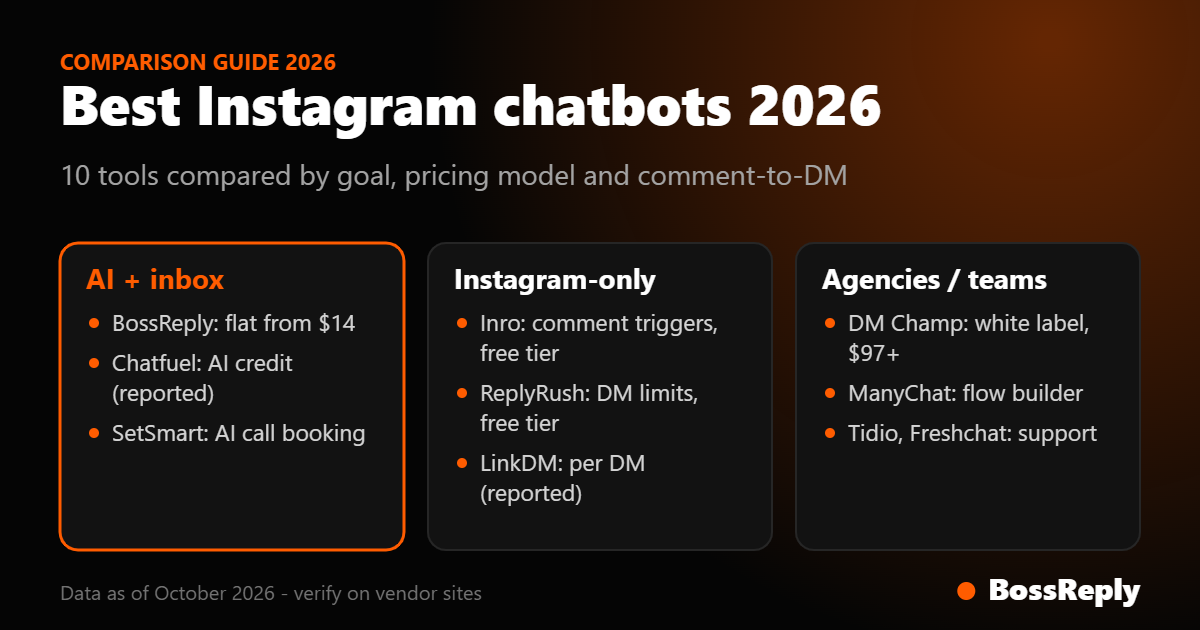
Short answer: the best Instagram chatbot depends on your goal. For an AI agent plus a shared inbox, choose BossReply. For agencies, choose DM Champ. For Instagram-only comment-to-DM at a low cost, choose Inrō, LinkDM or ReplyRush. For a long-established flow builder, choose ManyChat. For an AI appointment setter, choose SetSmart.
Last updated: October 17, 2026. Written by the BossReply Team. BossReply is our product and is listed first; we show our sources and mark anything we could not verify.
Key takeaways
An Instagram chatbot replies to DMs and can send a DM when someone comments a keyword. Meta's rules limit what any tool can do, so the differences are in AI quality, pricing and channels.
Pricing models differ widely: per active contact, per DM sent, per AI credit, or flat plans. Compare them at your real volume.
If you also use WhatsApp, pick a tool with an inbox that covers both channels.
Always test one real workflow before you commit.
What is an Instagram chatbot?
An Instagram chatbot is software that replies to messages on Instagram automatically. A rules-based bot follows buttons and keyword triggers. An AI chatbot reads the question and answers in natural language, using your own content as its source. Most tools also offer comment-to-DM: when someone comments a keyword on a post or Reel, the tool sends them a DM with a link or an answer.
What rules does Instagram set for chatbots?
Every compliant tool works inside Meta's limits, so know them before you compare features.
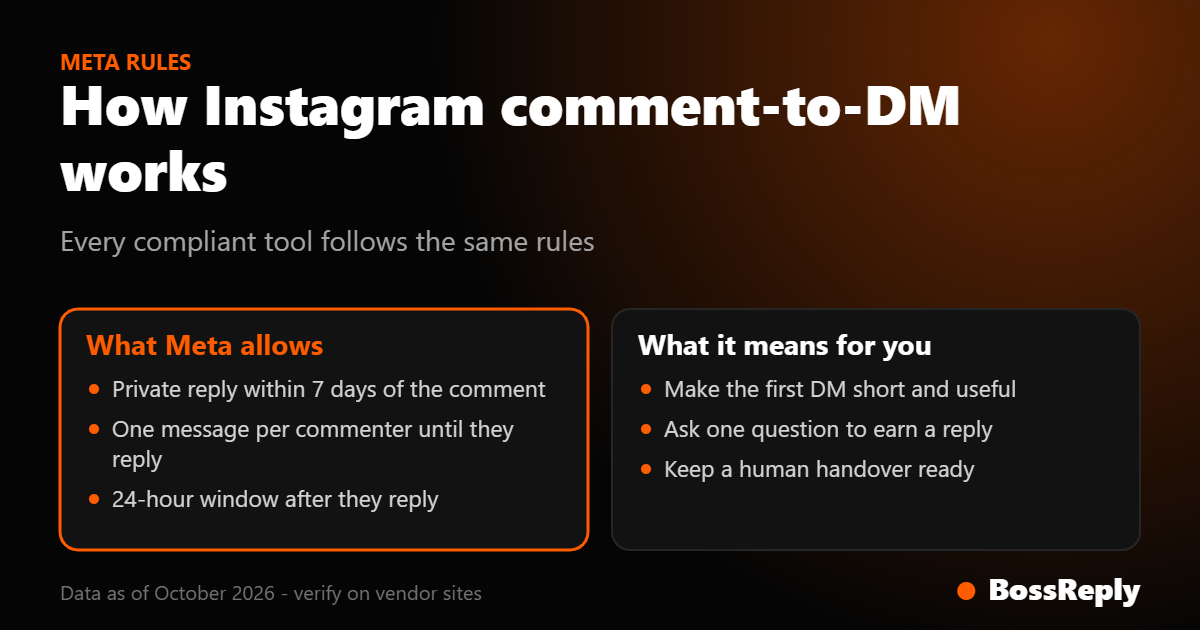
A private reply to a comment must be sent within 7 days of the comment.
Only one message can be sent to each commenter until they reply.
After they reply, a 24-hour messaging window applies.
Through the official messaging API, a business can message someone only after they have messaged first.
These come from Meta's developer documentation on private replies and the Instagram messaging API. They explain why every serious tool behaves similarly on comment-to-DM.
Best Instagram chatbots at a glance
Tool | Best for | Starting price | Comment-to-DM |
|---|---|---|---|
BossReply | AI agent and multi-channel inbox | $14/month | Yes |
ManyChat | Flow building, large community | Free, then $14 (reported) | Widely used |
DM Champ | Agencies and white label | $97/month | Yes, all plans |
Inrō | Instagram-only automation | Free, Pro from €12.99 | Yes, all plans |
Chatfuel | AI allowance, unlimited contacts | $20/month (reported) | Comment replies listed |
LinkDM | Cheap DM volume | Free, Pro $19 (reported) | Yes |
ReplyRush | Instagram and Facebook Page | Free, Lite $10 | Yes (not on free) |
SetSmart | AI appointment setter | $99/month | Yes |
Tidio | Website chat plus Instagram | Free, Starter $24.17 | Not verified |
Freshchat | Support teams | Free, then $19 per agent | Partial |
1. BossReply: best overall for AI plus a shared inbox
BossReply brings Instagram, WhatsApp, Messenger, Telegram and website chat into one inbox, with an AI agent trained on your own content. Choose your model (OpenAI, Claude, Gemini or Grok) and bring your own key if you want. Comment-to-DM sends the DM automatically and does not post a public reply. Plans are $14, $29 and $69 per month, and extra bot conversations on Starter cost $1 per 100.
2. ManyChat: best for a mature flow builder
ManyChat is widely used for Instagram and Messenger automation. A third-party guide edited September 28, 2026 reports a free plan for 25 contacts and paid tiers from $14 for 250 contacts, priced per active contact. Its own pricing page was not reachable by our tools, so confirm details on manychat.com. Read our BossReply vs ManyChat comparison.
3. DM Champ: best for agencies
DM Champ runs from $97 per month for your own business to $297 for agencies with white label and 10 client accounts, scaling by AI credits and client accounts. Comment-to-DM is on every plan, and WhatsApp can connect several ways, including QR.
4. Inrō: best for Instagram-only automation
Inrō uses Meta's official API and covers comments, DMs and stories with a built-in CRM. The free plan has 100 activated contacts, 3 automations and 50 AI credits. It does not support WhatsApp.
5. Chatfuel: best for an AI allowance
A competitor-written review reports Chatfuel at $20 per month with $20 of AI credit and unlimited contacts. Confirm current pricing, because other sources show older plans.
6. LinkDM: best for low-cost volume
Third-party sources report $0 for 1,000 DMs, $19 for 25,000 and $99 for 300,000, billed per DM sent. We could not reach its own site, so verify before buying.
7. ReplyRush: best for Instagram plus Facebook Pages
ReplyRush prices by monthly DM limit: free for 1,500 DMs, $10 for 7,500, $25 for 40,000 and $100 for 400,000. Comment auto-reply is not on the free plan.
8. SetSmart: best AI appointment setter
SetSmart qualifies leads and books calls across Instagram, WhatsApp Business API and Messenger. After a 7-day trial, Pro is $99 per month including 1,000 messages.
9. Tidio: best when website chat matters most
Tidio lists a free plan, Starter at $24.17 and Growth from $49.17 per month, with Instagram on all plans and its Lyro AI as an add-on from $32.50. We could not verify comment-to-DM support.
10. Freshchat: best for support teams
Freshchat lists a free plan and paid plans from $19 per agent per month, with Instagram from its first paid tier. Its AI agent adds usage-based charges, and comment replies exist but are not a comment-to-DM funnel.
How do you choose an Instagram chatbot?
Pick your goal: comment-to-DM leads, DM support, or booking calls.
Check channels: do you also need WhatsApp or Messenger in the same inbox?
Compare pricing at your volume: per contact, per DM, per credit or flat.
Test the AI: does it answer from your content, and can you change the model?
Check the exit: can you export contacts and cancel easily?
How do you set up Instagram comment-to-DM?
The steps are almost the same in every tool, so you can test two or three of them in an afternoon.
Switch your Instagram account to a Business or Creator account and link it to a Facebook Page.
Connect the account to the tool and approve the permissions it asks for.
Pick a post or Reel and choose a keyword, for example "GUIDE".
Write the DM the commenter receives. Keep it short, give one link or one question, and say why they are receiving it.
Comment the keyword from a second account and check that the DM arrives and that the link works.
Remember Meta's rule that only one message can go to a commenter until they reply, so make that first message count.
What does an Instagram chatbot really cost?
Take a creator with 3,000 people who message or comment in a month. A per-contact plan prices that audience by tier, and going over a tier can add overage charges. A per-DM plan prices it by messages sent, so a flow that sends three messages per person triples the count. A credit-based plan prices it by AI replies. A flat plan, such as BossReply's, prices it by workspaces, channels, agents and conversation limits. None of these is automatically cheaper, so write down your expected contacts, DMs and AI replies, then check each plan against those numbers.
Mistakes to avoid with an Instagram chatbot
Sending unsolicited messages to people who have not interacted with you.
Using unclear keywords that match unrelated comments.
Skipping a human handover for questions the bot cannot answer.
Judging a tool by its entry price instead of your real volume.
Frequently asked questions
What is the best Instagram chatbot?
It depends on your goal. BossReply suits an AI agent with a shared inbox, DM Champ suits agencies, and Inrō, LinkDM and ReplyRush suit Instagram-only automation at low cost.
Is there a free Instagram chatbot?
Yes. Inrō, LinkDM and ReplyRush list free plans with limits, and ManyChat is reported to have one. Read the limits first.
Can an Instagram chatbot reply to comments?
Tools can send a private DM in response to a comment within Meta's rules. Some also post a public reply. BossReply sends the DM and does not post a public reply.
Are Instagram chatbots allowed?
Tools that use Meta's official API operate inside Meta's rules, including the 7-day private reply window and the 24-hour messaging window. Check that your tool uses the official API.
Can an Instagram chatbot use AI?
Yes. AI chatbots answer in natural language from your own content. With BossReply you can choose the AI model and bring your own key.
Will an Instagram chatbot get my account banned?
Risk comes mainly from spammy behavior and unofficial tools. Use an official-API tool, message people who interacted with you, and keep a human in the loop.
How much does an Instagram chatbot cost?
From free to a few hundred dollars per month. Costs depend on contacts, DMs, AI credits or flat plans. BossReply starts at $14 per month.
Do the prices change?
Yes. Confirm each price on the vendor's website.
Sources and method
We compared channels, AI, comment-to-DM and pricing. Official pages: bossreply.com/pricing, dmchamp.com/pricing, inro.social/pricing, replyrush.com/pricing, setsmart.io. Meta rules: developers.facebook.com documentation on Instagram private replies and the messaging API. ManyChat, Chatfuel and LinkDM figures come from third-party guides because their own pages were not reachable by our tools. Prices were read on October 16 and 17, 2026.
Conclusion
Match the tool to your goal: BossReply for an AI-led inbox, DM Champ for agencies, Inrō or ReplyRush for Instagram-only. Test one workflow on your shortlist before paying.
Try BossReply: get started, or read about Instagram comment-to-DM automation and compare the ManyChat alternatives.