BossReply vs ManyChat (2026): Pricing, AI, WhatsApp and Instagram Compared
Short answer: choose BossReply if you want an AI agent trained on your own content, a choice of AI model (OpenAI, Claude, Gemini or Grok), bring-your-own-key pricing for AI, and both WhatsApp QR and official API connections on simple flat plans. Choose ManyChat if you want the most widely used Instagram and Messenger flow builder and your audience is small enough that its per-contact pricing stays low.
Last updated: October 17, 2026. Written by the BossReply Team. BossReply is our product, so we state what we could and could not verify about ManyChat, and we link every source at the end.
BossReply vs ManyChat at a glance
Feature | BossReply | ManyChat |
|---|---|---|
Best for | AI agent plus shared inbox across channels | Instagram and Messenger automation flows |
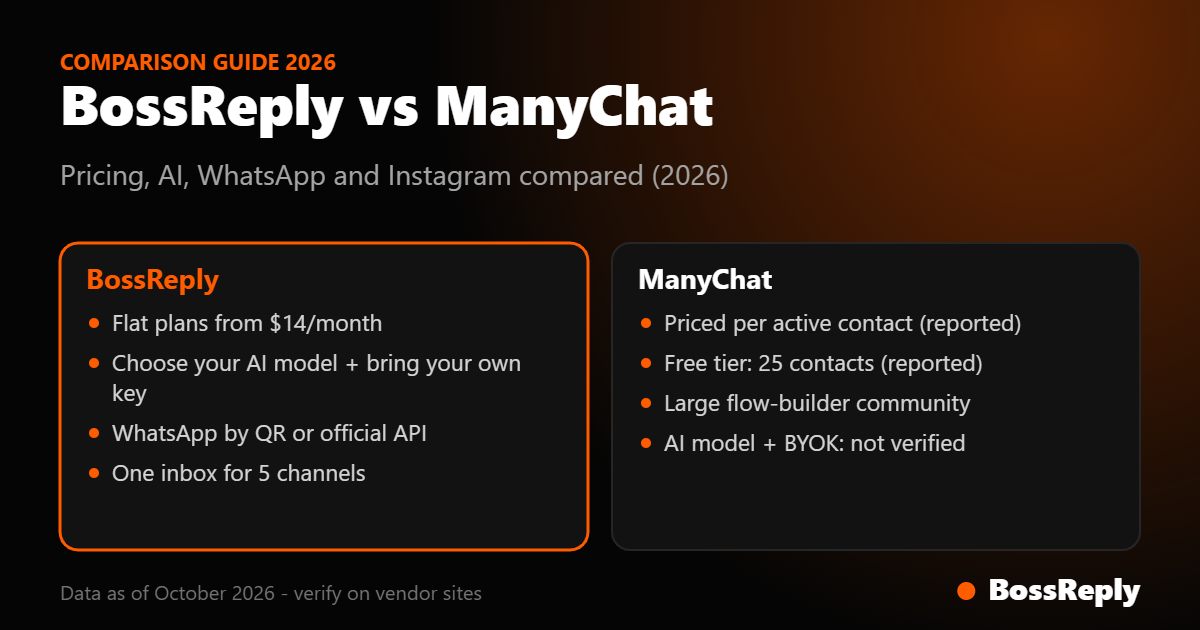
Pricing model | Flat plans: $14, $29, $69 per month | Per active contact (reported) |
Entry price | $14/month (Starter) | Free for 25 contacts, then $14/month for 250 contacts (reported) |
Instagram comment-to-DM | Yes, sends the DM automatically | Widely used for it |
QR login and official Business API | From the Pro plan (reported) | |
AI model choice | OpenAI, Claude, Gemini, Grok and more | Not verified |
Bring your own AI key | Yes | Not verified |
Shared team inbox | Yes, all channels in one inbox | Yes (live chat inbox) |
What is the difference between BossReply and ManyChat?
ManyChat is a chat-marketing platform built around automation flows: you design a sequence of messages that fires when someone comments a keyword, replies to a story or sends a message. BossReply is built around an AI agent and a shared inbox: it answers from your own business content, hands over to your team when needed, and treats comment-to-DM as one automation among several.
In practice, ManyChat starts from the flow and adds AI on top, while BossReply starts from the AI agent and the inbox and adds flows. Neither approach is better for everyone. Which one fits depends on how you sell, how many contacts you have and which channels matter.
How does the pricing compare?
This is where the two tools differ most, so read it carefully.
BossReply pricing
BossReply uses three flat plans, and yearly billing saves up to 17%:
Starter, $14/month: 1 workspace, 1 widget, 3 inbox integrations, 1 chat agent, 100 live chat conversations and 500 bot-driven conversations per month, knowledge base and chatbot builder.
Pro, $29/month: 3 workspaces, 2 widgets, 9 inbox integrations, 5 chat agents, unlimited live chat and bot-driven conversations, plus CRM and advanced email settings.
Agency, $69/month: unlimited workspaces, widgets and integrations, 50 chat agents and unlimited conversations.
Extra chat agents cost $1 per month each, and extra bot conversations on Starter cost $1 per month per 100. Plans are not priced by the number of contacts you store. See the full table on the BossReply pricing page.
ManyChat pricing (as reported by a third party)
ManyChat's own pricing page blocked our automated fetch, so these figures come from a third-party pricing guide edited on September 28, 2026 and quoted as annual-equivalent monthly prices. Confirm them on manychat.com before you decide.
Free: $0 for 25 active contacts, with ManyChat branding on your first message.
Essential: $14 for 250 contacts.
Pro: $29 for 2,500 contacts.
Business: $69 for 7,500 contacts.
Advanced: $139 for 25,000 contacts.
An active contact is anyone you exchange a message with during the month. Going over your tier adds a per-contact overage fee rather than blocking the account, so a viral post can raise your bill. Older guides list different free-plan limits, so figures vary by source and date.
What the pricing difference means
At a few hundred active contacts the two cost about the same on paper. As your audience grows, a per-contact model scales with your reach, while BossReply's limits are on workspaces, channels, agents and conversations. If you run a large account that gets spikes of comments, check how each model behaves at your real volume.
Which has better AI?
Both tools offer AI replies. ManyChat's AI answers from a knowledge library you paste in, reported at up to 250,000 characters, and a third-party guide says it is included from the Pro plan upward, while another source lists it as an add-on, so the sources disagree.
BossReply's AI agent is trained on your own content, docs and FAQs through the knowledge base. Two things set it apart:
Choose your model: pick the AI model that suits your business, including OpenAI, Claude, Gemini and Grok, and switch later without rebuilding your bot.
Bring your own key (BYOK): connect your own API key and pay your AI provider directly, which is often just cents per conversation.
We could not verify from ManyChat's official pages which AI models it uses or whether you can bring your own key, so we do not claim either way.
Which is better for Instagram comment-to-DM?
Both can turn a keyword comment into a DM. ManyChat is widely used for this and appears in most roundups of comment-to-DM tools. BossReply catches a keyword in an Instagram comment and sends the DM automatically. It does not post a public reply under the comment.
Whatever tool you use, Meta's rules apply: a private reply to a comment must be sent within 7 days, and only one message can be sent to each commenter until they reply. After they reply, the 24-hour messaging window applies. Read more in our guide to Instagram comment-to-DM automation.
Which is better for WhatsApp?
BossReply provides both connection types: a quick QR login and the official WhatsApp Business API, so you can test fast and move to the official channel as you scale. ManyChat offers WhatsApp from its Pro plan upward, with Meta's messaging fees on top, according to the third-party guide. We could not verify from ManyChat's official pages whether it supports a QR connection.
If WhatsApp is central to your business, read WhatsApp QR vs Business API before choosing, and see the WhatsApp chatbot page.
What do users say about each?
The same third-party guide reports that ManyChat holds 4.5 out of 5 on G2 (165 reviews) and 4.6 out of 5 on Capterra (72 reviews), but 2.1 out of 5 on Trustpilot (303 reviews), where reviewers mention unexpected billing and difficulty cancelling. Review scores change, so check the live pages.
BossReply is newer and has fewer public reviews, so we encourage you to test it on a real workflow before committing.
Who should choose BossReply, and who should choose ManyChat?
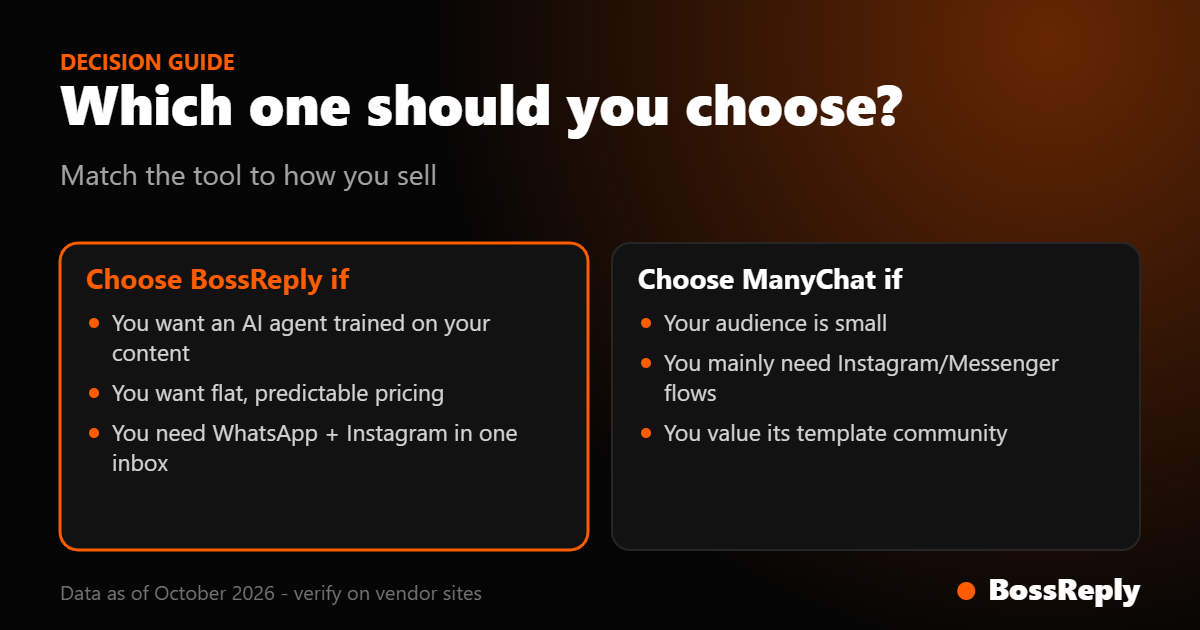
Choose BossReply if…
You want an AI agent that answers from your own content and hands over to a person.
You want to choose your AI model or bring your own API key.
You want WhatsApp, Instagram, Messenger, Telegram and website chat in one inbox.
You prefer flat plans over per-contact pricing.
You are an agency or coach managing more than one brand.
Choose ManyChat if…
You already run flows in ManyChat and your audience is small, so per-contact pricing stays low.
Your main need is Instagram and Messenger automation rather than a multi-channel AI inbox.
You value a large, long-established community and template ecosystem.
How do you switch from ManyChat to BossReply?
Create your BossReply account. Most setups take under 10 minutes to launch.
Connect Instagram and WhatsApp, using QR login or the official API.
Add your business content to the knowledge base so the AI can answer from it.
Pick your AI model and add your own API key if you want BYOK.
Rebuild your most-used comment keyword first, then move the rest of your flows over.
For a wider view, see our roundup of ManyChat alternatives and the dedicated ManyChat alternative page.
Frequently asked questions
Is BossReply a good ManyChat alternative?
Yes, if you want an AI agent trained on your own content, a choice of AI model, and one inbox for WhatsApp, Instagram, Messenger, Telegram and website chat on flat plans. If you only need simple Instagram flows at a small scale, ManyChat may be enough.
Is BossReply cheaper than ManyChat?
It depends on your audience size. BossReply plans are flat at $14, $29 and $69 per month and are not priced by contacts. ManyChat is reported to charge per active contact, so it can cost less for very small audiences and more as you grow. Compare both at your real volume.
Does BossReply support Instagram comment-to-DM?
Yes. It catches a keyword in an Instagram comment and sends the DM automatically. It does not post a public reply under the comment.
Can I use my own AI key with BossReply?
Yes. You can choose your AI model and bring your own API key to pay your AI provider directly.
Does ManyChat support WhatsApp?
Yes, a third-party pricing guide reports WhatsApp from the Pro plan upward, with Meta's messaging fees on top. We could not verify its connection options from ManyChat's official pages.
Can I import my ManyChat flows into BossReply?
We do not claim an automatic import. The practical route is to rebuild your most-used keyword automations first and move the rest over gradually.
Which is better for agencies?
BossReply's Agency plan gives unlimited workspaces, widgets and integrations for $69 per month. We did not find a white-label reseller program for ManyChat; its partner program is an affiliate and agency directory.
Do prices and features change?
Yes. Pricing and features change often, so confirm current details on each vendor's website.
Sources and method
We compared the tools on pricing, AI, channels and fit. BossReply details come from our own pricing page and product. ManyChat details come from a third-party pricing guide (eesel.ai, edited September 28, 2026), because ManyChat's own pricing page was not reachable by our tools, and from Meta's developer documentation on private replies. Anything we could not confirm is stated as not verified. Always check the vendors' own pages before you buy: manychat.com/pricing and bossreply.com/pricing.
Conclusion
ManyChat is a solid choice for small Instagram and Messenger automations. BossReply is the stronger fit if you want an AI agent that uses your own content, your choice of AI model, WhatsApp QR and API support, and predictable flat pricing. The fastest way to decide is to test your top two or three workflows on both.
Ready to try it? Get started with BossReply or see the pricing.