Best Omnichannel Inbox Tools in 2026: 9 Platforms Compared (WhatsApp, Instagram, AI)
Short answer: the best omnichannel inbox depends on your team and your channels. BossReply suits small teams and agencies that want WhatsApp, Instagram, Messenger, Telegram and website chat in one inbox with an AI agent on flat plans. respond.io suits messaging-first teams that need workflows and reporting. Kommo suits sales teams that live in a CRM. Freshchat, Intercom and Zendesk suit support teams that already run a helpdesk. Superchat suits small EU teams.
Last updated: October 17, 2026. Written by the BossReply Team. BossReply is our product and is listed first; we label third-party data and mark what we could not verify.
Key takeaways
An omnichannel inbox puts conversations from several channels into one place, so your team replies from a single screen with a full history per customer.
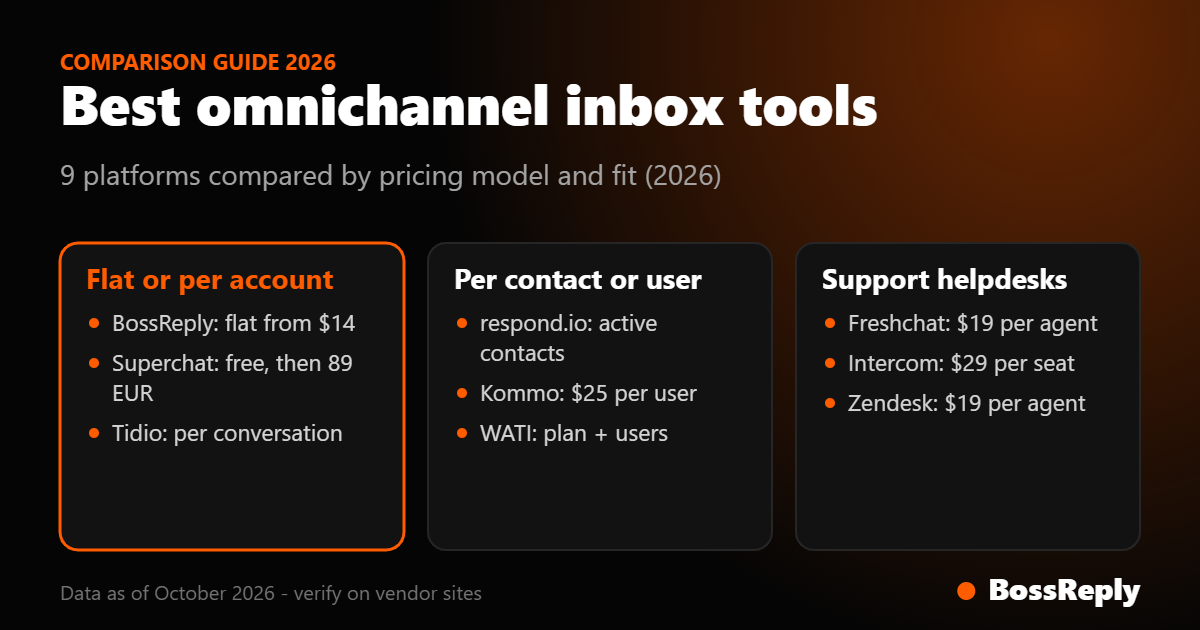
Pricing models differ widely: per seat (Kommo, Freshchat, Intercom, Zendesk), per monthly active contact (respond.io), per account (Superchat) or flat (BossReply).
For small teams, seat-based pricing grows with headcount, while contact-based pricing grows with audience.
Channel coverage matters more than the number of logos: check Instagram comment handling, WhatsApp connection type and AI support on the plan you will use.
What is an omnichannel inbox?
An omnichannel inbox combines messages from WhatsApp, Instagram, Messenger, Telegram, website chat, email and sometimes SMS into one shared view. Good ones add assignment, internal notes, saved replies, tags, automation and an AI agent that answers first. It differs from a multichannel setup, where each channel is a separate tool with its own login.
What should you look for?
Channels you really use: WhatsApp, Instagram DMs, Messenger, web chat, email.
Team features: assignment rules, notes, roles and a clear history per customer.
AI that answers from your content, with a clean handover to a person.
Automation: comment-to-DM, templates and broadcasts where the channel allows them.
Pricing that fits your growth: seats, contacts, conversations or a flat plan.
Exit options: contact export and cancellation terms.
Best omnichannel inbox tools at a glance
Tool | Best for | Pricing model | Starting price |
|---|---|---|---|
BossReply | Small teams and agencies, AI first | Flat plans | $14/month |
respond.io | Messaging-first teams | Monthly active contacts | $79/month |
Kommo | Sales teams with a CRM | Per user | $25/user/month |
Superchat | Small EU teams | Per account, 12-month term | Free, then €89 |
WATI | WhatsApp-first teams | Plan, users, messages | Not verified |
Freshchat | Support teams | Per agent | Free, then $19/agent |
Intercom | Larger support teams | Per seat plus per resolution | $29/seat |
Zendesk | Established helpdesks | Per agent | $19/agent |
Tidio | Website-first stores | Per conversation | Free, then $24.17 |
1. BossReply: best for small teams that want AI first
BossReply combines WhatsApp, Instagram, Messenger, Telegram and website chat in one inbox, with an AI agent trained on your content and a handover to your team. You choose the AI model (OpenAI, Claude, Gemini or Grok) and can bring your own key. Starter is $14 per month with 3 inbox integrations and one chat agent, Pro is $29 with 9 integrations and 5 agents plus a CRM, and Agency is $69 with unlimited workspaces and integrations and 50 agents. Plans are not priced by stored contacts. Instagram comment-to-DM sends the DM automatically and posts no public reply.
2. respond.io: best for messaging-first teams
respond.io manages conversations across WhatsApp, Instagram, Facebook, TikTok and more, with workflows, routing and reporting. Starter is listed at $79 per month for 5 users, Growth at $159 and Advanced at $279 for 10 users each, although the page's structured data shows $99, $199 and $349, so confirm the live price. It is priced by monthly active contact, with overage fees, and WhatsApp fees are not included. AI agents start on Growth. Coexistence lets you use the WhatsApp Business App and the API on one number, with limits.
3. Kommo: best for sales teams
Kommo is a CRM with messaging. Plans cost $25, $35 and $45 per user per month with a 6-month minimum and a 14-day trial. It supports the official WhatsApp API, Instagram, Facebook, TikTok and Telegram, with the number of Instagram accounts depending on plan. Advanced adds no-code bots and AI agents. Cost scales with every salesperson you add.
4. Superchat: best for small EU teams
Superchat's free plan covers 1 account and 30 active contacts. Paid plans are €89, €149 and €299 per month for 3, 6 and 12 accounts, with a 12-month minimum. It supports WhatsApp, Instagram, Messenger, Telegram, live chat, email and SMS. AI agents and Copilot are extra.
5. WATI: best for WhatsApp-first teams
WATI is a WhatsApp inbox with broadcasts and automation, with 3, 5 and 5 users included across Growth, Pro and Business, and extra users at $24 and $69 per month. Base monthly prices were not visible on the page we read, so check wati.io/pricing.
6. Freshchat, Intercom and Zendesk: best for support teams
Freshchat is free for up to 10 agents, with paid plans at $19, $49 and $79 per agent per month billed annually; Instagram, Facebook and WhatsApp are on Growth and above. Intercom charges $29, $85 or $132 per seat, and its Fin AI agent costs $0.99 per resolution. Zendesk starts at $19 per agent, and AI agents cost $1.50 to $2 per automated resolution. These tools are strong on ticketing and reporting but are less focused on Instagram comment funnels. Intercom staff have said Instagram comments are not supported.
7. Tidio: best for website-first stores
Tidio offers a free plan, Starter at $24.17 and Growth from $49.17 per month, with Messenger, Instagram, WhatsApp and email listed across plans and its Lyro AI as an add-on from $32.50.
How do pricing models compare for a team of five?
Per seat: Kommo's base plan costs about $125 per month for five users, and Freshchat's Growth plan about $95 per month on annual billing. The bill rises with every hire.
Per contact: respond.io's Starter includes 5 users, and its cost depends on how many contacts you message in a month.
Flat: BossReply Pro is $29 per month with 5 chat agents, and extra agents cost $1 each. See per-contact vs per-conversation vs flat pricing.
These examples exclude WhatsApp fees and add-ons, which can be significant. Meta charges official WhatsApp template messages separately from any inbox subscription.
What does a good shared inbox workflow look like?
Tools matter less than habits, so set these up in the first week.
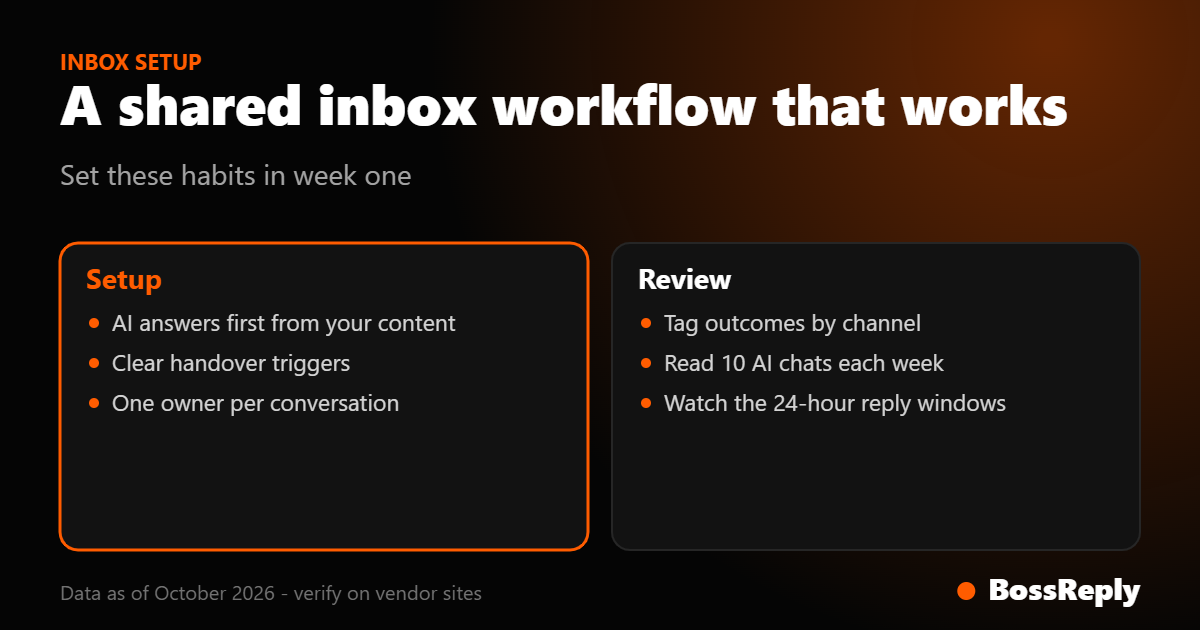
Let the AI answer first on questions that live in your knowledge base, such as hours, prices, shipping and booking links.
Define handover triggers: a request for a person, a complaint, a refund, or any question the AI cannot answer from your content.
Assign by channel or topic so each conversation has one clear owner.
Use saved replies and notes so the next person sees the context and does not repeat questions.
Tag outcomes such as lead, customer or support issue, so you can see which channel produces revenue.
Review weekly: read ten conversations the AI handled, fix weak answers in the knowledge base and adjust the handover rules.
Which channel rules should your inbox respect?
Each channel has its own limits, and a good inbox helps you stay inside them. On Instagram, a private reply to a comment must be sent within 7 days and only one message can go to each commenter until they reply, then a 24-hour window applies. On WhatsApp, starting a conversation needs an approved template, replies inside the 24-hour window are free-form, and Meta charges per delivered template message. Messenger and Telegram have their own windows and policies. Check how each tool shows the remaining window to your agents, because replying late is the most common reason a conversation cannot continue.
How do you choose?
List your channels and the volume on each.
Count the people who will reply, now and in a year.
Decide whether you need AI first, a CRM or a ticketing system.
Price each tool at your numbers, including add-ons and Meta's fees.
Run a one-week trial with real conversations.
Frequently asked questions
What is the best omnichannel inbox for a small business?
BossReply for an AI-first inbox on flat plans, Kommo for a CRM-led team, and Superchat for small EU teams.
Is there a free omnichannel inbox?
Superchat and Freshchat list free plans with limits, and Tidio has a free plan for website chat.
Can one inbox handle WhatsApp and Instagram?
Yes. BossReply, respond.io, Kommo, Superchat, WATI and Freshchat support both on suitable plans.
What is the difference between omnichannel and multichannel?
Omnichannel merges channels into one inbox with a shared customer history. Multichannel uses separate tools per channel.
Does an inbox include AI?
Many do, at different prices. BossReply includes an AI agent and lets you choose the model and bring your own key.
Do the prices change?
Yes. Confirm each price on the vendor's website.
Sources and method
Official pages: bossreply.com/pricing, respond.io/pricing, kommo.com/pricing, superchat.com/pricing, wati.io/pricing, freshworks.com live chat pricing, intercom.com/pricing, zendesk.com/pricing and tidio.com/pricing. Intercom's Instagram comment limit comes from Intercom staff in its community. Meta fee information comes from developers.facebook.com/docs/whatsapp/pricing. Prices were read on October 17, 2026.
Conclusion
Choose the pricing model that matches how your business grows: people, contacts or features. For a small team that wants AI first and predictable prices, try BossReply, or compare the WATI vs respond.io vs BossReply guide.