How to Migrate From ManyChat to Another Platform (Checklist)
Short answer: to migrate from ManyChat, audit your flows, export your contact data, check what each channel lets a new tool do, rebuild and test flows in the new platform, move your WhatsApp number if you use the official API, run both for a short overlap, then cut over and cancel. Expect to rebuild automations rather than import them, and expect Instagram contacts to need a fresh message before you can reach them.
Last updated: October 17, 2026. Written by the BossReply Team. BossReply is our product and is one possible destination; the checklist works for any ManyChat alternative. Platform rules change, so confirm each point on the official pages linked below.
Key takeaways
Treat migration as a rebuild plus a data move. We found no official ManyChat tool that exports your flows in a form another platform can import.
ManyChat's documented route for contact data goes through its Google Sheets integration; community answers say a plain bulk export contains only an ID, so plan the fields you need.
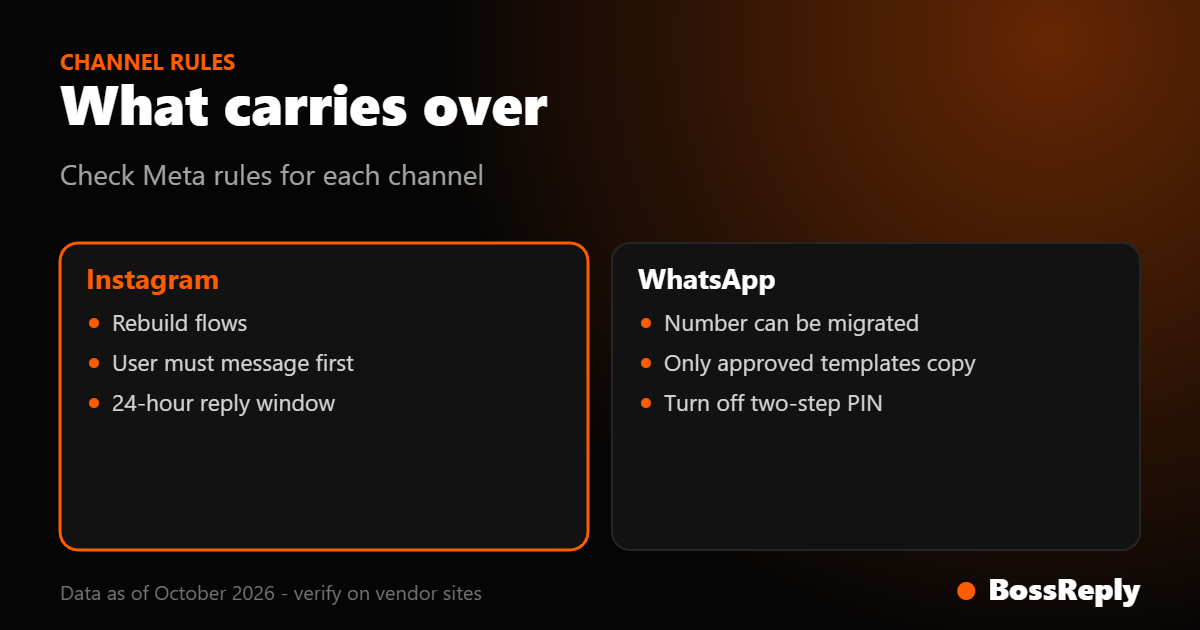
Instagram only lets an app message a user after that user messages first, and the app has 24 hours to respond. You cannot simply import an Instagram list and message everyone.
An official WhatsApp number can be moved between providers, but only approved, high-quality templates are copied and message history is not part of the process.
Why do people leave ManyChat?
The most common reasons are cost that rises with your contact count, a need for AI answers or a shared inbox, and wanting more than one channel in one place. Decide yours first, because it defines what the new tool must do better.
ManyChat prices by active contacts, meaning people you exchange messages with in a month. According to a September 2026 eesel.ai review (ManyChat's own pricing page blocked our fetch), paid plans start around $14 per month (annual) for 250 contacts and rise with overage per contact, and a viral post can trigger extra charges. Those figures are third-party and conflict with other guides, so check manychat.com/pricing. Our ManyChat pricing explained and per-contact vs flat pricing guides walk through the maths.
What should you do before you touch anything?
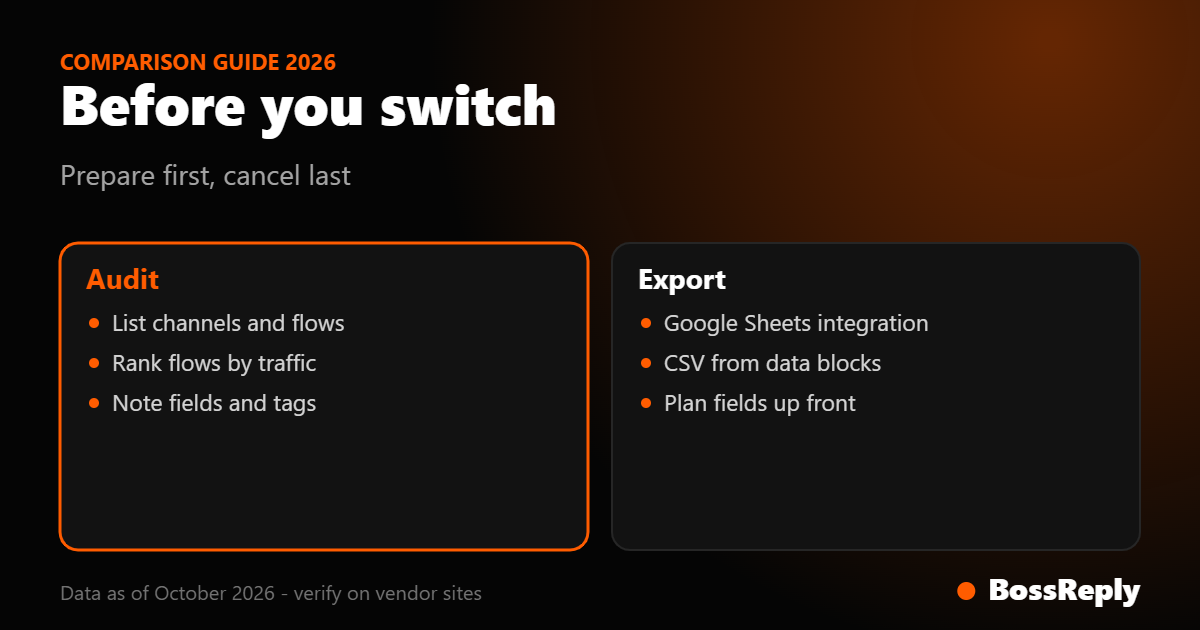
Take an inventory of everything ManyChat does for you today. You cannot migrate what you have not listed, and old automations often hide forgotten dependencies.
List channels: Instagram, Facebook Messenger, WhatsApp, others, and which accounts are connected.
List every automation: keyword triggers, comment-to-DM flows, welcome messages, story replies, broadcasts, sequences.
Rank them by traffic. Check which ones actually fire each month. Rebuild the top 20 percent first and consider dropping dead flows.
List integrations: spreadsheets, CRM, payment links, calendars, webhooks, and who owns each login.
Note custom fields and tags you rely on, such as email, interest or lead status.
Document each flow with its trigger, message text and buttons.
How do you export your contacts and data from ManyChat?
Use the Google Sheets integration to write the fields you need into a spreadsheet, and export response data from individual automations as CSV where offered. A community-moderated reply says ManyChat's mass export contains only the page-scoped ID, which is not enough to rebuild a CRM, so decide your fields first.
From the ManyChat help centre material we found in search results (we could not open the help articles directly, so verify the steps in your account):
Connecting Google Sheets does nothing by itself. You add an "Insert row" action to an automation and send contacts through it, with one spreadsheet column per field.
Custom fields, system fields, bot fields and tags can be sent. Tags arrive as true or false values.
Answers collected in a Data Collection or User Input block must be saved to a field before they can be exported.
A community reply reports a limit of about 150 requests per minute, so large lists need throttling.
What can and cannot move between channels?
Contacts' history and subscriber IDs generally do not carry over; what you can reuse is your content, rules and, for WhatsApp, your number. Each channel has its own limits.
Channel | What you can reuse | What you must redo | Rule to check |
|---|---|---|---|
Keywords, message copy, links | Rebuild comment-to-DM and welcome flows; reconnect the account | Meta: app can message only after the user messages first; 24 hours to respond | |
Facebook Messenger | Copy and flows as documents | Rebuild and reconnect the Page | Platform messaging window rules apply; check Meta's docs |
WhatsApp (official API) | The phone number; eligible templates | Re-submit templates that do not copy; rebuild flows | Two-step verification must be off to migrate |
WhatsApp (QR link) | The number | Re-link by scanning a new QR code | Outside the official platform; understand the risk |
Website chat | Copy and FAQ | Install the new widget | None specific |
How does the Instagram move work?
You rebuild the automations in the new tool and reconnect the Instagram account; old subscribers do not become reachable overnight. Meta's Instagram messaging documentation says your app has 24 hours to respond to a user's message and can only message users after they have messaged first, so the new tool starts with an empty conversation history.
Comment-to-DM works the same way in any tool. Meta's private replies documentation says a private reply must be sent within 7 days of the comment, only one message can be sent to the commenter, and the conversation continues only after the user responds. BossReply's comment-to-DM catches a keyword in a comment and sends the DM automatically without posting a public reply. See BossReply Instagram comment-to-DM and our comparison of comment-to-DM tools.
How do you move a WhatsApp number to a new provider?
If your number is on the official WhatsApp Business Platform, Meta documents a migration path between solution partners that keeps the number and copies eligible templates. If you use a QR link, you simply link the number in the new tool. Ask both vendors to confirm the exact steps before you start.
From Meta's migration documentation (read October 2026):
The business needs a verified Meta Business account, an approved WhatsApp Business Account with a payment method, and two-step verification disabled on the number. The remaining steps cannot be completed until it is disabled.
Only templates with an approved status and a green quality score are eligible. Others, including pending or low-quality templates, must be recreated and resubmitted.
If the destination account reaches its template limit, only the templates that fit are copied.
Template quality ratings are not migrated. Copied templates start as unknown for 24 hours, then receive a new rating if enough data exists.
Number registration is instant, but template copying takes time, so templates can be briefly unavailable. Meta suggests starting template migration before registering the number.
Billing: messages delivered before migration is complete are charged to the old partner, and after to the business.
The page we read did not address message history, so assume it stays with the old tool and export anything you need first. Our guide to WhatsApp QR vs Business API covers the trade-offs, and BossReply's WhatsApp page shows how it connects with either method.
The migration checklist
Work through these in order. Each step has a clear finish line, and you should not cancel ManyChat until the last step.
Define the goal. Cost, AI answers, inbox, or channels. Write one sentence.
Inventory channels, automations, fields, tags and integrations.
Pick the destination and run a free trial or the lowest plan with one real flow.
Export data through Google Sheets and CSV. Store files securely and delete copies you no longer need.
Move your content: turn FAQs, product details and policies into a knowledge base so an AI agent can answer from them.
Rebuild the top flows and test each with a personal account.
Prepare WhatsApp: check template status and disable two-step verification only when ready.
Run an overlap of a few days where the old flows stay documented and the new ones are tested.
Cut over: reconnect Instagram, switch off old triggers, activate new ones.
Monitor for 7 days: read conversations daily, fix gaps, check that nothing fires twice.
Cancel ManyChat only after checking its billing terms and your renewal date, which we did not verify.
What mistakes should you avoid?
Cancelling first. Keep the old account until the new one has run live for a week.
Forgetting double replies. Two tools answering the same keyword confuses customers.
Ignoring WhatsApp fees. Meta's per-message fees are separate from the tool subscription, and some providers say service messages become billable from October 1, 2026, which Meta's own page did not confirm when we read it.
Frequently asked questions
Can I import my ManyChat flows into another tool?
We found no official import or export of full flows. Expect to rebuild them, using your documentation as the blueprint.
Will my Instagram followers keep their chat history?
No. The new tool starts fresh. Meta only lets an app message a user after the user has messaged first.
Can I keep my WhatsApp number?
Yes, if you use the official platform, Meta documents number migration between providers, and with a QR link you simply link the same number again.
How long does a migration take?
A small account with a few flows can often be rebuilt in a day or two of work plus a week of monitoring. This is our estimate, not a published figure.
Will I lose my tags and custom fields?
Not if you export them first through the Google Sheets integration. Plan the columns before you start.
Do I need to tell customers about the change?
Tell them if keywords, handover contacts or privacy details change.
Sources and method
We read these pages in October 2026; platform details change, so verify them.
Meta for Developers, migrating phone numbers among solution partners via Embedded Signup: prerequisites, two-step verification, template eligibility, ratings, billing. Read October 2026.
Meta for Developers, Instagram messaging API and private replies: 24-hour rule, user must message first, 7-day private reply window, one message per commenter. Read October 2026.
Meta for Developers, WhatsApp pricing: per-template charging and the customer service window. Meta's page did not confirm the October 1, 2026 service-message billing that some vendors report. Read October 2026.
ManyChat help centre, as shown in search results: Google Sheets integration steps and limits. We could not open ManyChat's help pages (access blocked), so these details are reported from search snippets; one 150-requests-per-minute figure and the ID-only bulk export come from community replies, not ManyChat documentation.
eesel.ai ManyChat pricing review (updated September 28, 2026): third-party pricing reference; ManyChat's own pricing page blocked our fetch, and other guides disagree.
Conclusion
A calm migration is mostly preparation: inventory, export, rebuild, test, overlap, then switch. Keep ManyChat running until the new setup has proved itself. If you are weighing a destination with one inbox for WhatsApp, Instagram, Messenger, Telegram and website chat, an AI agent trained on your content and flat plans from $14 per month, you can try BossReply and see our ManyChat alternative page.