How to Train an AI Chatbot on Your Own Website and Documents
Short answer: you do not usually retrain a model to teach a chatbot your business. You give it a knowledge base made of your own website pages and documents. When a customer asks something, the chatbot finds the most relevant passages and answers from them. Good results depend on clean, specific, up-to-date content and on testing real questions.
Last updated: October 17, 2026. Written by the BossReply Team. BossReply is our product and is mentioned where relevant; other tools work in similar ways, and we mark anything we could not verify.
Key takeaways
"Training" a business chatbot normally means retrieval: the tool stores your content, finds relevant pieces for each question and hands them to an AI model to answer.
Anthropic's documentation says that if your knowledge base is under about 200,000 tokens (roughly 500 pages) you can include all of it in the prompt; larger collections need retrieval.
Content quality matters more than the amount. Outdated, duplicated or vague pages produce wrong answers.
Test with 30 real questions, including ones your content cannot answer, and make sure the bot hands over instead of guessing.
What does it mean to train a chatbot on your own content?
It means giving the AI your information at question time instead of changing the model itself. The model already knows how to write and reason; it does not know your prices, policies or opening hours. So the tool supplies those facts alongside each question.
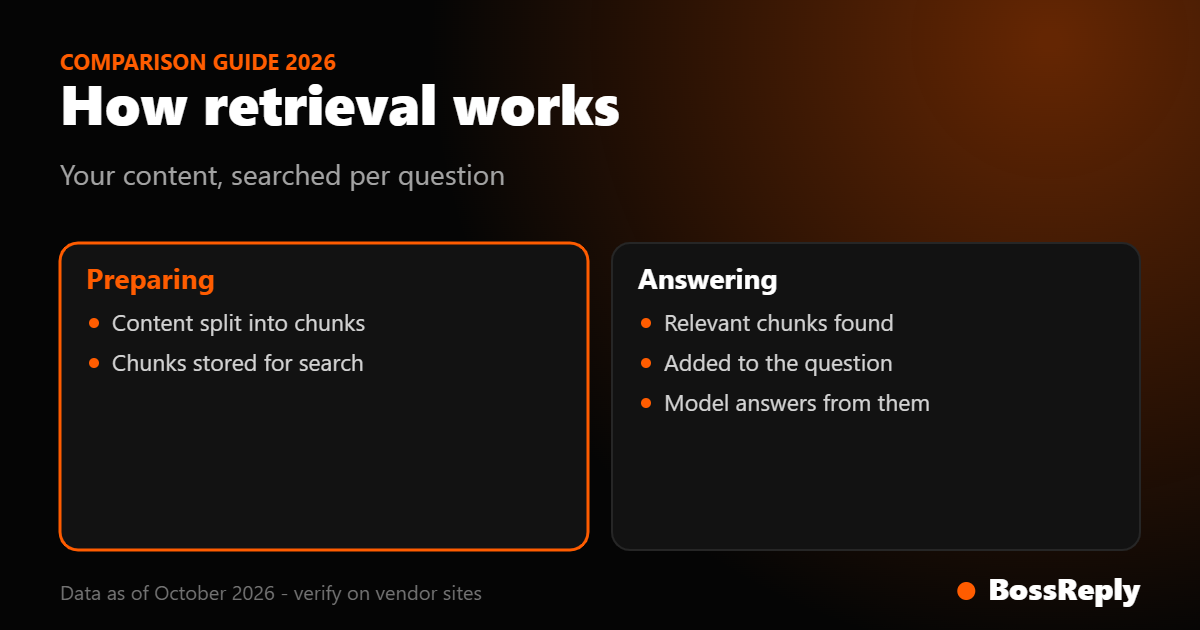
This approach is called retrieval-augmented generation (RAG). Anthropic describes it as retrieving relevant information from a knowledge base and adding it to the user's prompt so the model can answer with that background. Your documents are split into chunks, converted into numerical representations called embeddings, and stored in a searchable database. At question time the most relevant chunks are retrieved and added to the prompt.
The benefit for a small business is practical. You update a page, and the bot knows the new price the same day, with no retraining step. BossReply works this way at a high level: the AI agent is trained on your own content through a knowledge base, and you can choose the AI model (OpenAI, Claude, Gemini or Grok) and bring your own API key.
What content should you include?
Include everything a new employee would need to answer customers, and leave out everything that is out of date or private. Start with the pages and files customers already ask about.
Services and products with prices, what is included, and what is not.
Policies: returns, delivery, cancellation, payment, privacy.
Opening hours, locations and contact routes, including a human contact.
FAQs in the questions customers actually type.
Process pages: how booking works, what happens after payment, how long things take.
Tone notes: how you greet people, words to avoid.
Leave out internal notes, old price lists, staff details, anything personal, and drafts. Content you put in can show up in customer answers, so treat the knowledge base as public.
Which sources work: website, documents or both?
Use both when your tool allows it, because websites and documents fail in different ways. Check which source types your platform accepts; formats and limits differ by tool, and we do not list them for BossReply here beyond the knowledge base itself.
Source | Strength | Common problem | Fix |
|---|---|---|---|
Website pages | Already written for customers | Menus, footers and old pages add noise | Pick the key pages, remove outdated ones |
PDFs and documents | Detailed policies and manuals | Scanned images cannot be read as text | Use text-based files, check the text |
FAQ sheet you write | Matches customer wording | Gets stale | Review monthly |
Chat history | Real questions and answers | Contains personal data and mistakes | Anonymize and curate |
Spreadsheets | Prices and product lists | Columns lose meaning without headers | Add clear headers and notes |
How do you prepare your content step by step?
List the top 30 questions. Read your WhatsApp, Instagram and email history and write down what people actually ask.
Match each question to a source. If no page answers it, write one.
Clean the sources. Delete outdated pages, remove duplicates, fix contradictions (two different prices for one service is a common cause of wrong answers).
Write in plain statements. "Delivery takes 2 to 3 working days within [country]" is better than "fast delivery".
Name things in full. Anthropic's retrieval write-up gives an example of why: a chunk saying "The company's revenue grew by 3%" does not say which company or period, so it is hard to retrieve or use. The same applies to "It costs $50" with no product name.
Add the unanswerable. Write what you do not offer, so the bot can say no honestly.
Upload or connect the sources in your tool, and keep a list of what you added and when.
How does chunking affect answers?
Chunking splits your content into pieces small enough to search. If chunks are too small, they lose context; if they are too big, they bring in unrelated material. Anthropic describes chunks as usually no more than a few hundred tokens each.
As an example of one vendor's default, OpenAI's retrieval documentation says files are split into 800-token chunks with 400-token overlap, adjustable from 100 to 4,096 tokens. Other tools use other settings, and many business chatbot platforms, including ours, do not ask you to configure this. What you control is the writing.
Give each page one topic and a clear heading.
Put the question and its answer close together.
Repeat the product or service name where it matters.
Avoid long pages that mix returns, prices and opening hours.
Anthropic reports that adding context to chunks before indexing ("contextual retrieval") cut failed retrievals by 35% to 67% in its tests, depending on the combination of methods. That figure comes from Anthropic's own benchmark on its own datasets, so do not expect the same result in your tool. The lesson is the same as for writing: chunks should make sense by themselves.
How do you tell the chatbot how to behave?
Write instructions that tell the AI to answer only from your knowledge base, to say when it does not know, and to hand over to a person. OpenAI's retrieval guidance recommends instructing the model to answer only from retrieved sources and to handle empty or low-score results explicitly instead of letting the model guess.
A short instruction block can cover:
Role: "You are the assistant for [Business]. Be friendly and brief."
Source rule: "Answer only from the knowledge base. If the answer is not there, say you are not sure and offer to connect a team member."
Boundaries: "Do not quote prices that are not in the knowledge base. Do not promise delivery dates."
Handover: "If the customer is upset, asks for a person, or wants to pay or cancel, hand over."
Format: "Keep answers to three short sentences, and use the customer's language."
For more on keeping the bot honest, see our guide on how to stop an AI chatbot from making things up (hallucinations), and for the structure of the content itself, our knowledge base guide.
How do you test the trained chatbot?
Run a fixed list of questions before launch and after every content change. Scoring takes minutes and catches most problems.
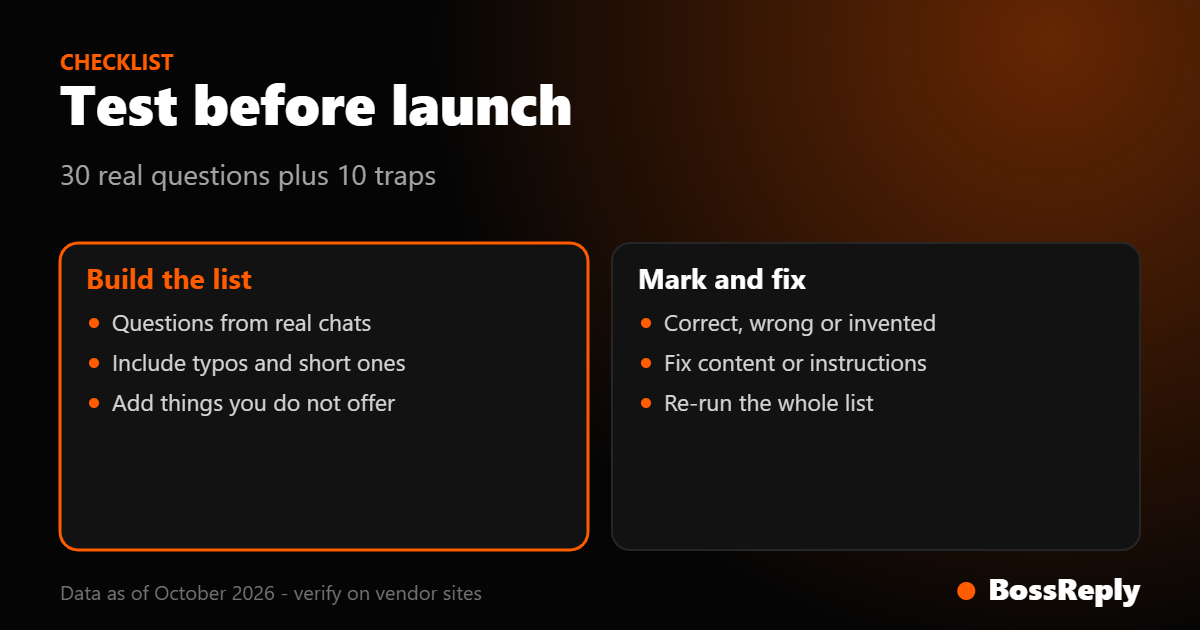
Collect 30 questions from real chats, including misspellings and short messages.
Add 10 traps: things not in your content, such as a service you do not offer, a competitor question or a medical or legal question.
Write the correct answer next to each question.
Run them and mark each answer correct, partly correct, wrong or invented.
Fix the cause. Wrong answers usually mean missing or contradictory content; invented answers usually mean weak instructions.
Re-run the whole list after each fix, because one change can break another answer.
A sensible target is zero invented facts on the trap questions. We could not find an industry standard accuracy number, so set your own bar and keep human handover available. In BossReply, human handover works from the shared inbox, where WhatsApp, Instagram, Messenger, Telegram and website chat conversations sit together.
How often should you update the knowledge base?
Update it every time something customer-facing changes, and review it fully every month. Prices, hours, offers and policies cause most wrong answers.
Add a calendar reminder on the first of each month.
Check the "could not answer" chats and add missing facts.
Remove expired promotions the day they end.
Keep a changelog so you know which edit caused a new problem.
Anthropic's guidance notes that under about 200,000 tokens, or roughly 500 pages, you can put an entire knowledge base in the prompt without RAG, and prompt caching makes this faster and cheaper. Most small-business knowledge bases are far below that, which is a good reason to keep yours short and curated.
What does it cost?
Costs have two parts: the platform plan and the AI model usage. BossReply plans are Starter $14, Pro $29 and Agency $69 per month, with yearly billing saving up to 17%. Starter includes a knowledge base and chatbot builder with 500 bot-driven conversations per month; Pro and Agency are unlimited. Plans are not priced by stored contacts. See the pricing page. If you bring your own API key, model usage is billed by the model provider; our BYOK guide explains the trade-offs. Prices change, so confirm them on official pages.
Frequently asked questions
Do I need to code to train a chatbot on my website?
Not in most no-code tools. You add content to a knowledge base and write instructions in plain language.
Does the AI learn from my customers' chats?
With retrieval, the model is not retrained by each chat. It answers from the content you provide. How a specific tool stores or uses chats is a policy question to check with that vendor.
How many pages can I add?
It depends on your tool. We could not verify a universal limit, and OpenAI's own limits (files up to 512 MB and 5,000,000 tokens) apply only to its API.
Why does my chatbot give old prices?
Usually an outdated page or a contradiction in your sources. Remove the old content and re-run your test list.
Can the chatbot answer in other languages?
AI models handle many languages, but quality varies. Test your languages with real questions, as we describe in our Arabic chatbot guide.
Is a website crawl enough?
Rarely. Websites contain navigation text and outdated pages. Add a curated FAQ page for the real questions.
Can I stop the bot from answering certain topics?
Yes, with instructions that tell it to hand over on those topics. Test them with trap questions.
Which AI model should I use?
Start with a mid-priced model, test it, and compare a second one. BossReply lets you choose between OpenAI, Claude, Gemini and Grok.
Sources and method
We read these pages in October 2026 (October 17):
Anthropic, contextual retrieval (anthropic.com/news/contextual-retrieval): the RAG description, chunking, context loss, the 35% to 67% failed-retrieval reductions, and the 200,000-token guidance.
OpenAI developer documentation, retrieval guide (developers.openai.com/api/docs/guides/retrieval): default 800/400-token chunking, 100 to 4,096 range, file limits, advice to answer only from sources and handle empty results.
BossReply pricing and feature facts as stated on bossreply.com.
We could not verify how every platform stores, chunks or limits uploaded content, or any industry accuracy standard. Page summaries were produced by a fetch tool; check the live pages for exact wording.
Conclusion
You teach a chatbot your business by giving it clean, specific, current content and clear rules, not by retraining a model. Start with your top 30 questions, test with traps, and keep a human one click away.
To build one on your own content, try BossReply.