AI Chatbot Platforms With Bring-Your-Own-Key (BYOK) in 2026
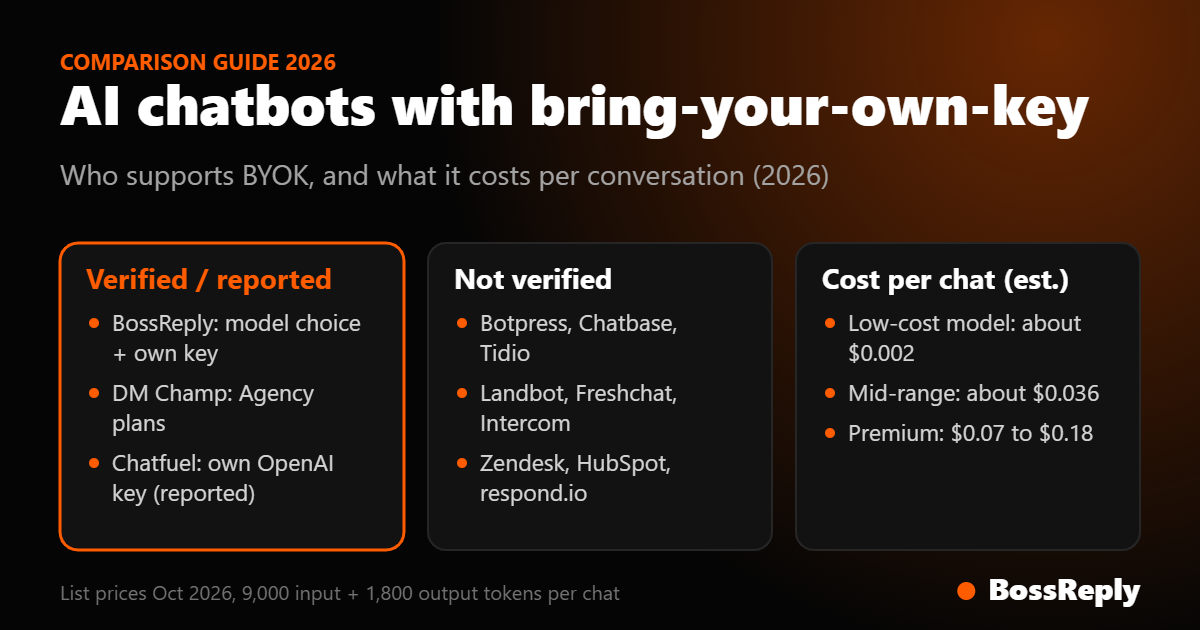
Short answer: bring-your-own-key (BYOK) means you connect your own API key from an AI provider such as OpenAI, Anthropic, Google or xAI and pay that provider directly, instead of paying a chatbot vendor's markup on AI usage. Among the platforms we checked, BossReply supports BYOK with a choice of model, DM Champ offers it on Agency plans, and a competitor review says Chatfuel accepts your own OpenAI key. For the other platforms we checked, we could not verify BYOK from official pages, so we do not claim it.
Last updated: October 17, 2026. Written by the BossReply Team. BossReply is our product and supports BYOK, so we separate what is verified from what is not and label every third-party source.
Key takeaways
BYOK moves your AI cost to your own provider account. You gain control over the model and the price, and you take on responsibility for your key and your usage limits.
With low-cost models, a six-turn customer conversation costs a fraction of a cent. With premium models it can cost several cents.
BYOK is rarely documented on pricing pages. Verify it with the vendor in writing before you buy.
Prices for AI models change often. The figures here are published list prices as of October 2026.
What is bring-your-own-key in an AI chatbot?
An AI chatbot calls a language model to write each reply. Most platforms bundle that cost into the subscription or sell it as credits. With BYOK you paste your own API key into the platform, and the model calls are billed to your account at the provider's list price. The platform charges only for the software.
Why does it matter?
Cost control: you can pick a low-cost model for simple questions and a stronger one for hard cases.
No credit cliff: your bot does not pause because a bundled allowance ran out, as some credit systems do.
Model freedom: you can move to a newer model without waiting for the vendor.
Data terms: your relationship with the provider, including its data-use terms, is direct.
What are the risks?
A leaked key can be abused, so use restricted keys with spending limits.
If your provider account hits a rate limit or runs out of credit, replies stop.
You must monitor usage yourself.
Which platforms support BYOK?
Platform | BYOK status | Source |
|---|---|---|
BossReply | Yes, choose OpenAI, Claude, Gemini or Grok | BossReply |
DM Champ | Yes on Agency plans, no credits used | dmchamp.com/pricing |
Chatfuel | Reported: own OpenAI key when credit runs out | Competitor-written review |
Voiceflow | "Bring your own model" mentioned for agencies; key entry and plan limits not verified | voiceflow.com/pricing |
Botpress | Not verified; AI usage passes through at provider list price | botpress.com |
Chatbase | Not verified | Pricing page does not mention it |
Tidio, Landbot, Freshchat, Intercom, Zendesk, HubSpot, respond.io, ManyChat | Not verified | No mention on pricing pages |
1. BossReply: BYOK with model choice
BossReply lets you choose the AI model, including OpenAI, Claude, Gemini and Grok, and connect your own API key so you pay your provider directly. The same agent works across WhatsApp, Instagram, Messenger, Telegram and website chat, and plans are $14, $29 and $69 per month.
2. DM Champ: BYOK on Agency plans
According to its pricing page, DM Champ supports BYOK on Agency plans, in which case no AI credits are used. Agency is $297 per month and Agency Unlimited $497. We could not verify which models it supports.
3. Chatfuel: own OpenAI key as a fallback
A review written by competitor SetSmart reports that Chatfuel's bot pauses when its included AI credit is used up, unless you connect your own OpenAI key. That points to OpenAI only, and we could not verify it on Chatfuel's own site.
4. Voiceflow and Botpress: developer-oriented
Voiceflow's pricing page says teams can choose major LLM providers or bring their own model, and agencies get white label and multi-client workspaces, but it lists no prices and we could not verify how keys are entered or which plans allow them. Botpress passes AI usage through at provider list price into an "AI Spend" balance, which is similar in effect but not the same as using your own account. These tools suit teams with a developer.
How much does AI cost with BYOK?
We use a simple model: a six-turn customer conversation with about 9,000 input tokens and 1,800 output tokens in total. Cost equals 0.009 times the input price per million tokens plus 0.0018 times the output price per million tokens. Prices below are provider list prices per million tokens as of October 2026, and you should confirm them on each provider's site.
Model | Input / output per 1M tokens | Approx. cost per conversation |
|---|---|---|
OpenAI gpt-6-luna | $0.10 / $0.50 | $0.0018 |
Anthropic Haiku 5.5 | $0.10 / $0.50 | $0.0018 |
OpenAI gpt-6.1-sol | $2 / $10 | $0.036 |
Anthropic Sonnet 5.5 | $2 / $10 | $0.036 |
Anthropic Opus 5.5 | $4 / $20 | $0.072 |
OpenAI gpt-5.5 | $5 / $30 | $0.099 |
Anthropic Fable 5.1 | $10 / $50 | $0.18 |
At 1,000 conversations a month, the lowest-cost models cost under $2, a mid-range model about $36 and a premium model about $180. That range is why model choice and BYOK matter more than a few dollars of subscription difference. Our model comparison for support chatbots compares them in more detail.
Which model should you start with?
Match the model to the job instead of choosing the most powerful one by default.
Simple FAQs and order status: a low-cost model such as gpt-6-luna or Haiku 5.5 is usually enough when the answer sits in your knowledge base.
Sales conversations and qualification: a mid-range model such as Sonnet 5.5 or gpt-6.1-sol follows longer instructions and handles objections better.
Complex or sensitive cases: hand over to a person rather than paying for a premium model to guess.
Test with ten real questions from your inbox, compare answers side by side, and switch only if the cheaper model makes mistakes you care about. A platform that lets you change the model without rebuilding your bot makes this experiment simple.
What should you ask a vendor about BYOK?
Which providers and models can I connect with my own key?
Is BYOK available on my plan or only on a higher plan?
Do I still use the vendor's AI credits when I connect my key?
Is my key stored encrypted, and can I remove it at any time?
What happens to replies if my provider account runs out of credit?
Can I use different models for different agents or channels?
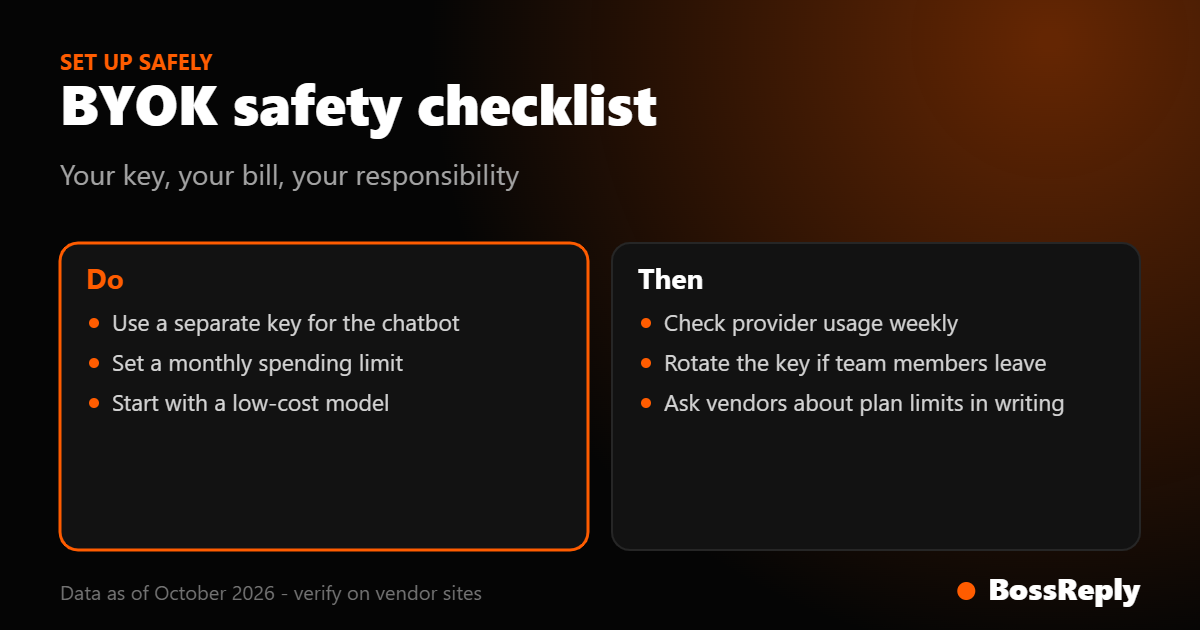
Ask for the answers in writing, because pricing pages rarely state them. This is the reason the table above says "not verified" for most platforms.
How do you set up BYOK safely?
Create a separate API key just for the chatbot.
Set a monthly spending limit with the provider.
Choose a low-cost model first and test quality.
Keep the key secret and rotate it if anyone leaves your team.
Check the provider's usage dashboard weekly.
When should you not use BYOK?
BYOK is not always better. If you want one invoice, have no technical comfort and send very few conversations, a bundled credit plan can be simpler. Bundled plans also give a predictable ceiling, whereas BYOK costs follow your usage. Choose BYOK when your volume is meaningful, you want model choice, or you want to avoid credit limits.
What does BYOK mean for agencies?
Agencies running many client bots gain the most from BYOK, because AI usage scales with the number of clients. With a bundled credit system, every client's conversations draw from one allowance, and heavy clients can exhaust it. With BYOK you can give each client their own provider key, bill them for usage at cost plus your fee, and see exactly who spends what. Check that the platform lets you set a key per workspace or agent, and keep a record of which key belongs to which client. Our white-label platforms guide covers the agency side.
Frequently asked questions
What does BYOK mean for a chatbot?
You connect your own AI provider API key and pay the provider directly for model usage.
Which chatbot platforms support BYOK?
BossReply and DM Champ (Agency plans) do. A competitor review says Chatfuel accepts an OpenAI key. We could not verify it for others.
Is BYOK cheaper?
Often, especially with low-cost models, but you pay provider rates and manage the account.
Is BYOK safe?
It is safe if you use a restricted key with spending limits and keep it private.
Which AI model is best?
It depends on your questions. Test a low-cost model first and move up only if answers are weak.
Do model prices change?
Yes. Confirm prices on each provider's site.
Sources and method
BYOK status comes from vendor pricing pages where available: bossreply.com, dmchamp.com/pricing, voiceflow.com/pricing and botpress.com. Chatfuel's claim comes from setsmart.io, a competitor. Model prices are published list prices from OpenAI, Anthropic, Google and xAI as of October 2026. Cost per conversation uses a stated 9,000-input, 1,800-output token assumption. Where BYOK was not mentioned, we say not verified.
Conclusion
If model choice and cost control matter to you, ask every vendor three questions: can I use my own key, which providers are supported, and does the plan limit it? Try BossReply for BYOK with a choice of model, or read the best AI chatbots for small business guide.