WhatsApp 24-Hour Window Explained: What You Can Send and When
Short answer: the WhatsApp 24-hour window is the period after a customer last messages you during which you can send any free-form message. Once 24 hours pass without a new message from them, you can only send pre-approved template messages. Each new customer message or call restarts the 24-hour timer.
Last updated: October 17, 2026. Written by the BossReply Team. BossReply is our product and is mentioned where relevant; rules below are from Meta's documentation as we read it in October 2026, so confirm them on the official pages.
Key takeaways
The window opens when a customer messages or calls your business number and lasts 24 hours. A new message from them resets the timer.
Inside the window you can send free-form text, media and interactive messages. Outside it, only approved templates can be sent.
Ads that click to WhatsApp and Facebook Page buttons can open a separate 72-hour free window if you reply within 24 hours.
Billing is changing: Meta's page we read shows replies inside the window as free, but several vendors say service messages become billable from October 1, 2026. Check Meta's pricing page before you budget.
What is the WhatsApp 24-hour window?
It is Meta's rule for the WhatsApp Business Platform (the Cloud API) that limits when you may send a message that has not been pre-approved. Meta calls it the customer service window. The timer starts when a WhatsApp user messages you or calls you, and it restarts every time they do so again.
The rule exists to protect customers from unwanted messages. A person who writes to you has asked for a conversation, so you can answer freely for a day. After that, you need a template that Meta has reviewed, and the customer must have opted in to hear from you.
The window applies to the official platform. The free WhatsApp Business app on your phone does not enforce it in the same way, but that app is also not built for automation or large teams. If you are unsure which route you are on, read our guide to WhatsApp QR vs Business API.
What can you send inside the window?
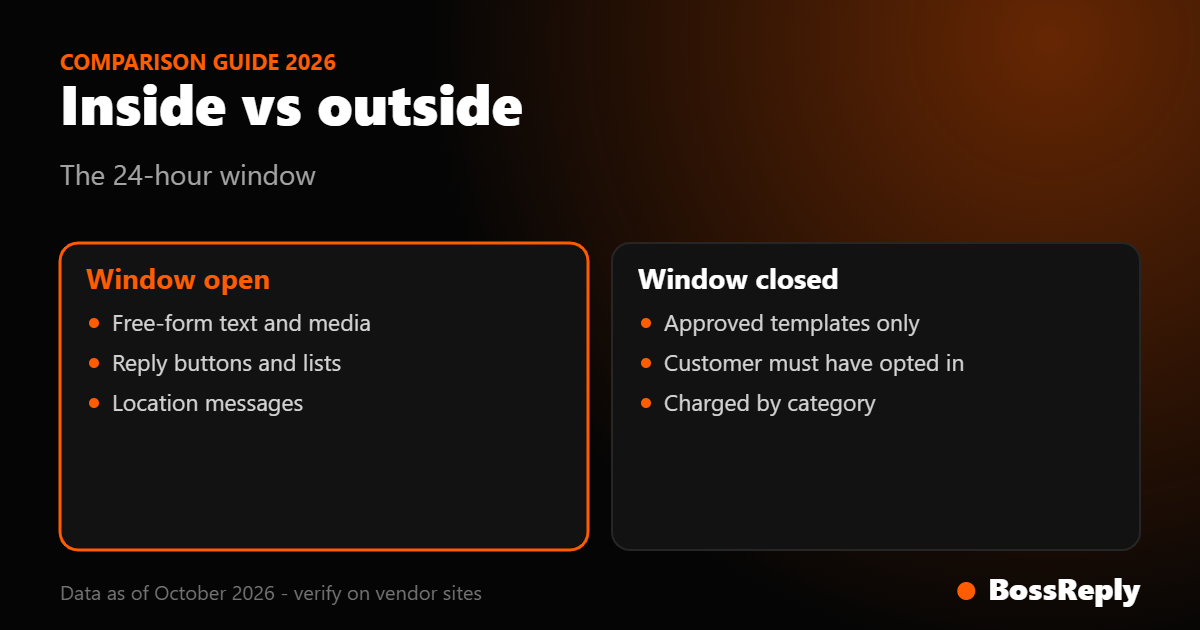
Inside an open window you can send any service message type, and you do not need template approval. Meta's documentation describes these messages as free-form. In practice this includes:
Plain text answers to the customer's question.
Images, documents and other media, such as a price list or a booking confirmation PDF.
Interactive messages. Reply buttons let you offer up to three predefined answers, and list messages present a menu of options.
Location messages, and location request messages that show a button asking the customer to share their location.
A chatbot fits naturally here. The customer asks, the bot answers from your content, and a human can take over from the shared inbox if the question gets complicated. Every customer reply restarts the clock, so a lively conversation can stay open for days.
What can you send outside the window?
Outside the window you can send only approved template messages. Meta states that templates are the only message type that can be sent when the customer service window is closed. A free-form message sent after the window closes is rejected by the platform.
Templates are reviewed by Meta and assigned one of three categories:
Category | Typical use | Billing as we read it |
|---|---|---|
Marketing | Offers, launches, promotions | Always charged |
Utility | Order updates, appointment reminders the customer expects | Charged outside an open window, free inside it |
Authentication | One-time passcodes | Charged |
Meta says that when you use a template you accept the charges for the category it assigns, so review the category on each approved template. Third-party guides report that a utility template which mixes in promotional wording, such as discounts or upsells, can be moved to marketing. Keep reminders and confirmations purely informational. Our QR vs API comparison and the WhatsApp chatbot page cover how connection type affects what you can send.
How do click-to-WhatsApp ads change the window?
When a customer starts a chat from a Click to WhatsApp ad or a Facebook Page call-to-action button, Meta opens a free entry point window. If you respond within 24 hours, that response opens a window that stays open for 72 hours, during which you can send any message type, including templates, at no charge.
Two details matter. First, this applies when the customer uses the WhatsApp app on Android or iOS; Meta's page says desktop and web apps are not supported. Second, the standard 24-hour window and the 72-hour free window run independently. If the 24-hour window closes first, you can still only send templates inside the 72-hour period, they are just free.
A vendor notice from WATI also mentions that the free window for these ads extends to seven days from September 28, 2026. We could not confirm that on Meta's page, so treat it as unverified.
Is a reply inside the window really free?
On Meta's pricing page as we read it on October 17, 2026, non-template messages inside an open window are free, and so are utility templates sent inside it. However, WATI, Gupshup and Zoho have published notices saying that from October 1, 2026 Meta charges for service messages, with 1,000 free per month for each number.
The Meta page we read did not describe this change; it listed October 1, 2026 rate updates for specific countries and said final rates would be announced by September 1, 2026. Because the sources disagree, we could not verify whether service replies are billable today. Check Meta's pricing page and your provider's invoice terms, and model both cases in your budget.
Messages your customers send to you are not charged, and Meta changes rates only at the start of a calendar quarter.
How do you stay inside the window with a chatbot?
You can plan around the window in five steps:
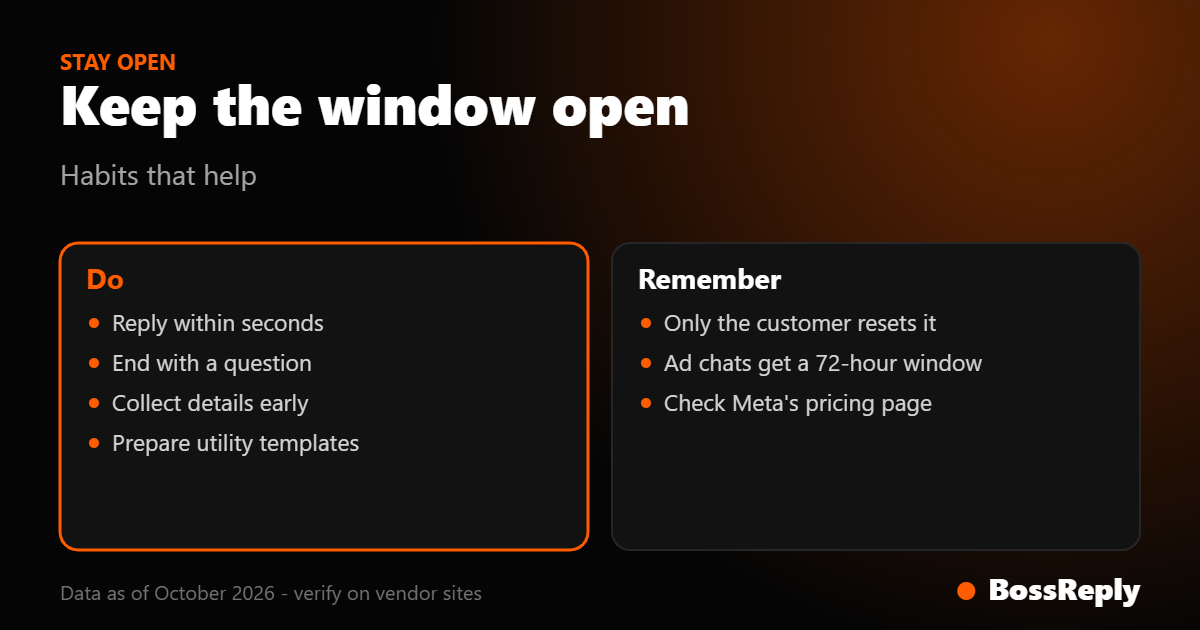
Answer fast. A bot that replies in seconds keeps the customer talking, and each reply from them extends your window.
Ask a question at the end. A closing question such as "Want me to book that for you?" invites a reply and restarts the timer.
Put the important step early. Collect the booking details, address or payment link while the window is open.
Prepare templates for follow-ups. Write and submit utility templates for confirmations and reminders before you need them, because approval is not instant.
Handle the expiry. If a human agent replies after 24 hours, the message will fail unless it is a template. Show the remaining window time in your inbox if your tool supports it.
BossReply keeps WhatsApp, Instagram, Messenger, Telegram and website chat in one inbox, so an agent can pick up a conversation that a bot started. The AI agent answers from your own knowledge base, and you can choose the model and bring your own API key. Whether you use BossReply or another tool, the 24-hour rule comes from Meta, not from the software.
What happens if you message after the window closes?
The platform rejects the free-form message, and the customer does not receive it. Meta's send-messages guide says that outside the window you can only send pre-approved template messages. Some providers show a specific error code in their logs; we could not find a code listed on the page we read, so check your provider's documentation.
The fix is simple: send an approved template that reopens the conversation, such as a utility template about an existing booking. When the customer replies, a new window opens and you can continue freely. Do not send marketing templates to customers who have not opted in. WhatsApp's business policy requires opt-in permission from the recipient and recommends separate opt-ins for each message category.
What are common mistakes to avoid?
Assuming a window opens when you message first. It opens only when the customer messages or calls you. Starting a conversation always needs a template.
Treating every template as marketing. Marketing templates are always charged. A genuine appointment reminder written as utility may be cheaper, but do not disguise promotions as utility, since Meta assigns the category.
Ignoring messaging limits. Meta limits how many unique customers you can start conversations with in 24 hours outside the window. New business portfolios start at 250. Verifying your business or sending 2,000 delivered template messages to unique users in 30 days with high-quality templates can raise it to 2,000, per Meta's page.
Forgetting opt-in. Templates are for people who agreed to hear from you.
Using a QR-linked tool for outbound campaigns. These tools run outside the official platform, and WhatsApp's policy says it may act against unauthorized messaging at scale.
Frequently asked questions
How long is the WhatsApp 24-hour window?
It lasts 24 hours from the customer's last message or call to your business number. Each new message or call from them restarts the timer.
Does my own reply restart the window?
No. According to Meta's documentation, the timer is based on the customer's message or call, so your replies do not extend it. Only their next message does.
Can I send a message after 24 hours?
Yes, but only as an approved template message. Free-form text, media and interactive messages need an open window.
What is the 72-hour window?
It is a free entry point window. When a customer starts a chat from a Click to WhatsApp ad or Facebook Page button and you respond within 24 hours, you can send any message type free for 72 hours.
Are messages inside the window free?
On Meta's pricing page as we read it, yes. Some providers say service messages become billable from October 1, 2026 with 1,000 free per month per number, so confirm with Meta and your provider.
Does the window apply to the WhatsApp Business app?
The window is a rule of the Business Platform. The free app is designed for manual chats and small teams rather than automation.
How do I get more template messages approved?
Write clear, non-promotional utility templates for expected updates, and keep marketing content separate. Meta reviews and categorizes each template, so check the assigned category.
Can a chatbot work around the window?
No. A chatbot has to follow the same rules as a person. It can reduce missed windows by replying quickly and handing over to a human before the timer ends.
Sources and method
We read these pages in October 2026. Meta pricing documentation (developers.facebook.com/docs/whatsapp/pricing): window length, free entry point windows, template categories, and rate-change dates. Meta Cloud API send-messages guide: free-form versus template messages and interactive message types. Meta messaging limits page (developers.facebook.com/docs/whatsapp/messaging-limits): the 250 starting limit and scaling paths. WhatsApp Business Messaging Policy (whatsappbusiness.com/policy): opt-in and enforcement wording. WATI, Gupshup and Zoho notices: the reported October 1, 2026 service-message billing change, which we could not confirm on Meta's page. Third-party BSP guides were used only for template category examples and are labelled as reported.
Conclusion
The 24-hour window is simple once you see it as a clock that only the customer can restart. Answer quickly, collect what you need while it is open, and prepare utility templates for everything that happens later. Re-check Meta's pricing page each quarter, because billing rules for service messages are in flux.
If you want one inbox for WhatsApp and your other channels, with an AI agent that answers from your own content, try BossReply.