AI Chatbot for Coaches: A Complete Step-by-Step Setup Guide (2026)
Short answer: to set up an AI chatbot for your coaching business, connect your Instagram and WhatsApp, write a knowledge base from your real offers and FAQs, add one comment keyword for a lead magnet, define three qualifying questions, and decide when a human takes over. Test it with ten friends before launch, then review the first fifty real conversations yourself.
Last updated: October 17, 2026. Written by the BossReply Team. BossReply is our product and is used in some examples; the setup steps work in any comparable tool, and we mark what we could not verify.
Key takeaways
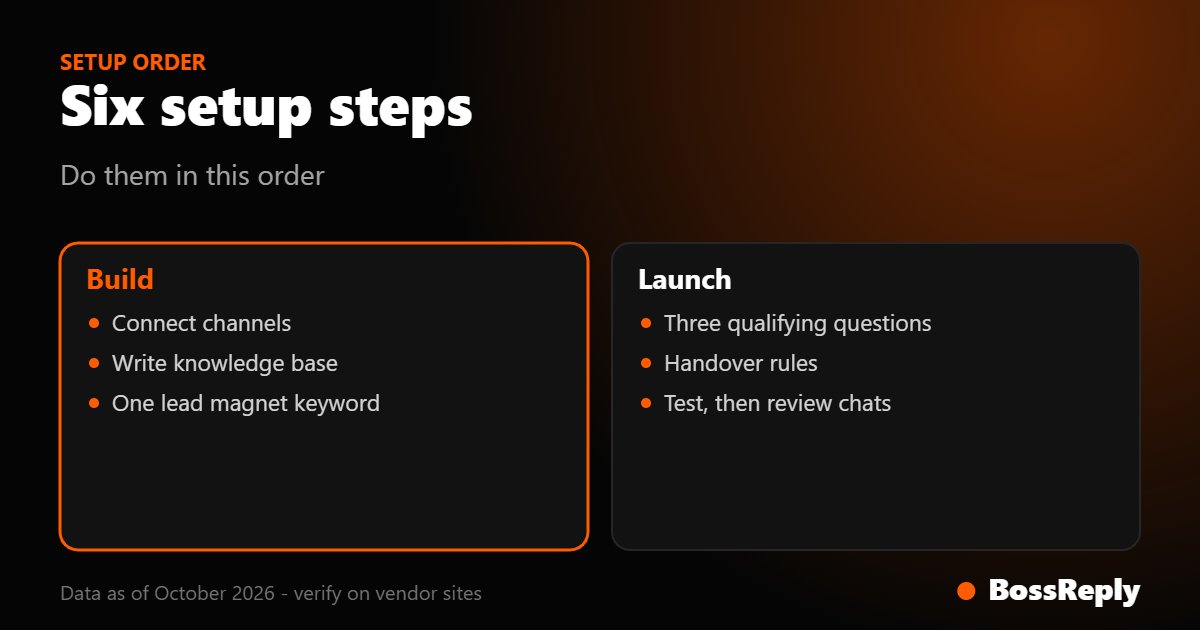
Set the chatbot up in this order: channels, knowledge base, one lead magnet, qualifying questions, handover rules, testing. Skipping the knowledge base is the most common reason a bot sounds generic.
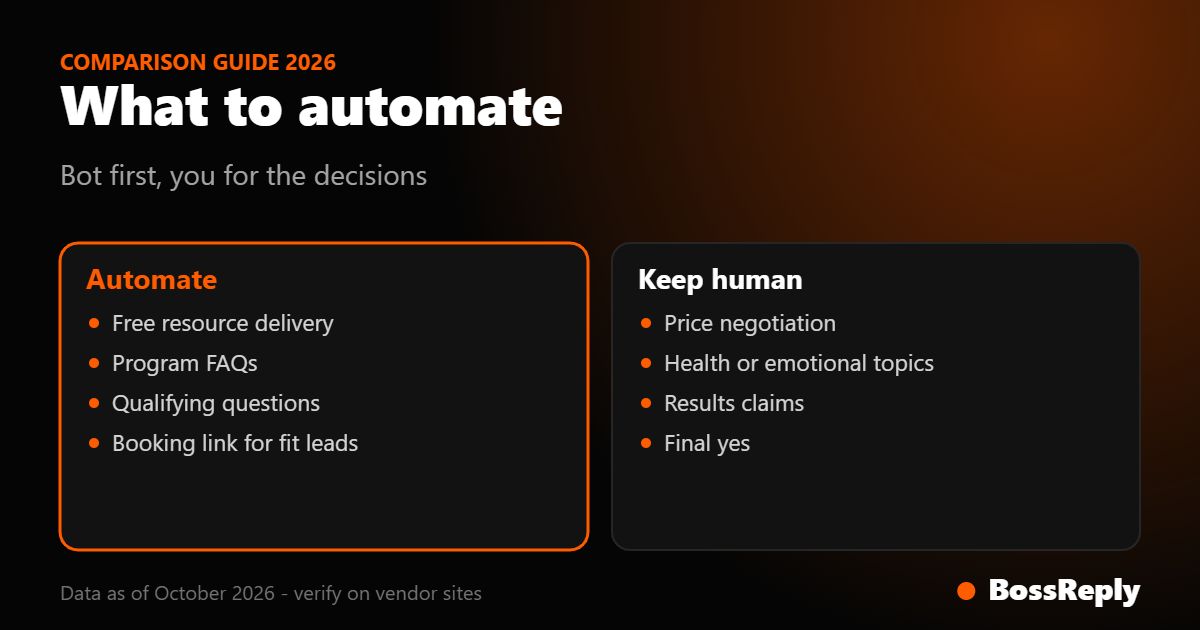
Automate the repetitive first 80 percent of a conversation (links, FAQs, qualifying). Keep pricing negotiation, emotional topics and the final yes in your own hands.
Meta allows one private reply per comment, within 7 days, and further messages only after the person replies, inside a 24-hour window. Design your first message to earn a reply.
Start with one funnel and one keyword. Add more only when the first one produces booked calls.
What does an AI chatbot do for a coach?
It answers the questions you repeat every day, sends the right link at the right moment and asks a few questions so you only spend time on people who fit your program. It does not replace the coaching relationship. Think of it as a receptionist who works nights and weekends and calls you when someone is ready.
For most solo coaches the chatbot covers four jobs: delivering a free resource after a comment, answering questions about your program, qualifying leads and sending a booking link. If you want a comparison of tools first, read the best Instagram chatbot for coaches. This guide assumes you have picked one and want to set it up properly.
Step 1: Which channels should you connect first?
Connect the channel where your leads already talk to you, usually Instagram, then add WhatsApp if you follow up there. One channel done well beats four channels half-configured.
Instagram needs a professional account. Meta's messaging documentation says an app can only message a user after that user has messaged the account, and it has 24 hours to respond to each message the user sends. WhatsApp can connect either through a QR login, which links your number like WhatsApp Web, or through the official Business API. The trade-offs are covered in WhatsApp QR vs Business API. If you plan to message people at scale or send reminders, the official API is the safer route, because WhatsApp's business policy says businesses may only start conversations with an approved message template.
If you use a tool with a shared inbox, such as BossReply, connect all channels into one inbox so you read one list of conversations instead of switching apps.
Step 2: How do you build the knowledge base?
Write down what you would tell a new assistant on their first day. The chatbot can only answer from what you give it, so a thin knowledge base produces vague answers and a rich one produces answers that sound like you.
Prepare these documents, each one page or less:
Offers: each program, who it is for, who it is not for, what is included, how long it runs and how you quote the price.
Top ten questions: the questions in your DMs this month, with your real answers. Examples: "Does this work for beginners?", "How many calls per week?", "What if I miss a session?"
Process: what happens after someone books a call and what they should prepare.
Boundaries: topics the bot must not answer, such as medical, legal or financial advice, refunds or custom discounts.
Voice sample: five replies you wrote yourself, so the tone matches.
BossReply trains its AI agent on your own content through a knowledge base, and you can choose the model (OpenAI, Claude, Gemini or Grok) and bring your own API key. Other tools handle this differently, so check how yours stores and uses your material. For more on bringing your own key, see AI chatbot platforms with BYOK.
Step 3: What should the first lead magnet flow look like?
Pick one resource, one keyword and one post. A flow with a single keyword is easy to test and easy to fix.
Example for an illustrative fitness coach: a Reel says "Comment PLAN and I will send you my free 3-day reset". The comment-to-DM feature catches the word PLAN and sends the DM automatically. In BossReply this does not post a public reply under the comment, which keeps your comment section clean. See the Instagram comment-to-DM page for how it works.
Meta's private replies documentation states the reply must be sent within 7 days of the comment, only one message can be sent to a commenter, and you can continue only after they respond. So the first message should be short and end with a question:
"Hi Sara, here is your 3-day reset: [link]. Quick question so I send you the right next step: what is your main goal right now, fat loss, strength or energy?"
That question does two jobs. It starts the qualification and it unlocks the 24-hour window for follow-ups.
Step 4: Which qualifying questions should you ask?
Ask three, no more: goal, obstacle and timing. Each answer should change what the bot does next.
Goal: "What result do you want in the next 90 days?"
Obstacle: "What has stopped you so far?"
Timing and fit: "Are you ready to start in the next few weeks?"
Then branch. If the goal matches your program and timing is soon, send your booking link and say what the call covers. If they are early or not a fit, send a lower-cost resource and offer to check back. Never skip the human step for people who hesitate or write long, emotional messages. Those are the conversations that deserve you.
What should you automate and what should you keep human?
Task | Automate | Keep human |
|---|---|---|
Delivering the free resource | Yes, fully | No |
Answering program FAQs | Yes, from the knowledge base | Edge cases the bot cannot answer |
Qualifying questions | Yes | Review answers before calls |
Sending the booking link | Yes, for qualified leads | Personal invitation to high-fit leads |
Price negotiation and discounts | No | Always you |
Client struggles, health, emotions | No | Always you |
Testimonials and results claims | Only if you wrote them | Approve every claim |
Step 5: When should the bot hand over to you?
Hand over when the person asks for a human, when they mention a problem you should not automate, or when they say they are ready to buy. Write these triggers down before launch.
A practical handover list:
The lead writes "can I talk to you", "are you real" or similar.
The message contains words about health, injury, money trouble or a complaint.
The lead asks for a price exception or a payment plan.
The bot has failed to answer the same question twice.
In a shared inbox you can see the full conversation and reply as yourself. Tell the lead what is happening: "I am taking over from here, give me a few hours." Remember the Meta rules: on Instagram you must respond inside the 24-hour window. Meta also describes a human agent tag for replying outside that window, but its documentation does not state for how long, so we could not verify the duration and recommend confirming it on Meta's page before you rely on it. For more on this topic see our guide to chatbot tools for coaches, course creators and agencies.
Step 6: How do you test before you go live?
Send the flow through yourself, then through ten friends. Comment the keyword from another account, ask five off-script questions about price and refunds, reply with one-word answers, and ask for a human to confirm the conversation reaches your inbox. Fix weak answers in the knowledge base, not by adding rules.
Step 7: Do you need to tell people it is a bot?
Yes, it is good practice and sometimes required. Meta's Instagram messaging documentation says automated chat experiences must disclose that the user is talking to an automated service where required by law, and recommends disclosure even where it is not required. It names California and German users as needing particular attention. This is general information, not legal advice. A simple line in the first message works: "I am the automated assistant for Coach Sam, and I will bring in Sam when needed."
How do you measure whether the setup works?
Track four numbers each week: how many commenters received the DM, how many replied to your first question, how many qualified and how many booked. The weakest step is where you should work next.
What does it cost?
Costs depend on the tool. BossReply plans are Starter $14, Pro $29 and Agency $69 per month, and yearly billing saves up to 17 percent. Plans are not priced by stored contacts. Starter includes 100 live chat conversations and 500 bot-driven conversations per month, which suits a coach starting with one funnel. See the pricing page for current details. If you use WhatsApp through the official API, Meta charges separately; see the next section.
What are the WhatsApp costs and rules to know?
On the official WhatsApp Business Platform, Meta's pricing page says that since July 1, 2025 businesses are charged per delivered template message, with the rate depending on the category and the recipient's country. As we read it on October 17, 2026, the page says service replies inside an open 24-hour window are free. However, several vendors state that Meta began charging for service messages from October 1, 2026, with a monthly free allowance. We could not confirm that on Meta's own page, so check the current rate card before you budget.
Frequently asked questions
How long does it take to set up an AI chatbot for coaching?
A first funnel with one keyword, a knowledge base and three questions can be built in an afternoon. Plan another week of testing and review.
Do I need to code anything?
No. Chatbot builders use visual flows and plain-text knowledge bases. You write the content; the tool handles connections.
Can the chatbot book calls for me?
It can send your booking link to qualified leads. Specific calendar integrations depend on the tool, so check your tool's documentation.
Will the AI sound like me?
If you give it your own offers, FAQs and sample replies, it will come close. Review its answers and edit the knowledge base where it drifts.
Is it allowed to automate Instagram DMs?
Yes, through Meta's official messaging API and within its rules, such as the 7-day private reply window and the 24-hour messaging window.
What if the bot says something wrong?
Fix the knowledge base, add a boundary for that topic and keep human handover available. Review early conversations closely.
Should I start with WhatsApp or Instagram?
Start where your leads already message you. Many coaches begin on Instagram and add WhatsApp for reminders and follow-up.
Do prices and rules change?
Yes. Confirm platform rules on Meta's official pages and prices on each vendor's site.
Sources and method
All pages read in October 2026, last on October 17.
Meta for Developers, Instagram private replies documentation (developers.facebook.com/docs/messenger-platform/instagram/features/private-replies): 7-day window, one message per commenter, continue only after a reply.
Meta for Developers, Instagram messaging API overview: 24-hour response rule, human agent tag (duration not stated), automation disclosure guidance.
Meta for Developers, WhatsApp pricing page: per-template billing since July 1, 2025 and free service replies inside the window as the page reads. Vendor notices (Wati, Gupshup, Zoho) report a change from October 1, 2026; not confirmed on Meta's page.
WhatsApp Business policy (whatsappbusiness.com/policy): business-initiated messages require approved templates and opt-in.
bossreply.com/pricing: BossReply plan details.
Examples such as the fitness coach are illustrative, not real clients.
Conclusion
A good coaching chatbot is a simple chain: a comment, a useful first DM, three questions, a booking link and a human at the right moment. Build one funnel, test it, then grow. When you are ready to put it together, you can try BossReply.