Best WhatsApp Chatbots in 2026: 10 Platforms Compared (API, QR, AI, Pricing)
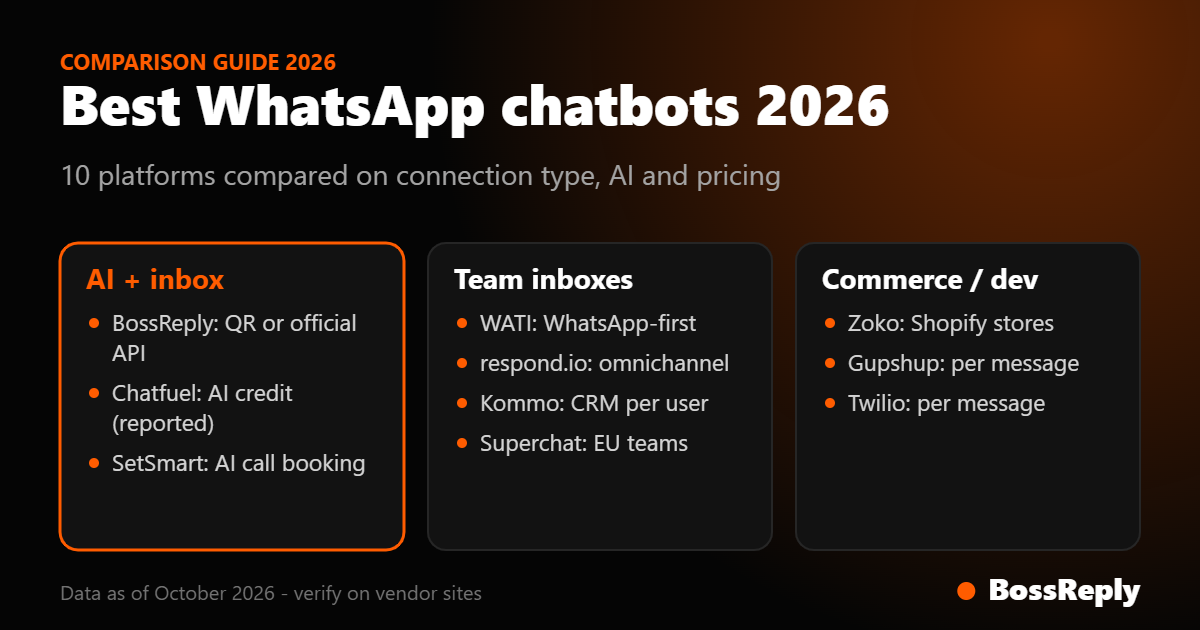
Short answer: the best WhatsApp chatbot depends on how you connect and who uses it. Choose BossReply for an AI agent with a shared inbox and both QR and official API connections. Choose WATI or respond.io for a team-focused WhatsApp inbox on the official API. Choose Zoko for Shopify stores, Kommo for sales teams that live in a CRM, and Twilio or Gupshup if you have developers.
Last updated: October 17, 2026. Written by the BossReply Team. BossReply is our product and is listed first; we show our sources and mark anything we could not verify.
Key takeaways
A WhatsApp chatbot connects either through the official WhatsApp Business Platform (the Cloud API) or through a QR link that mimics WhatsApp Web. The two have different rules and different risks.
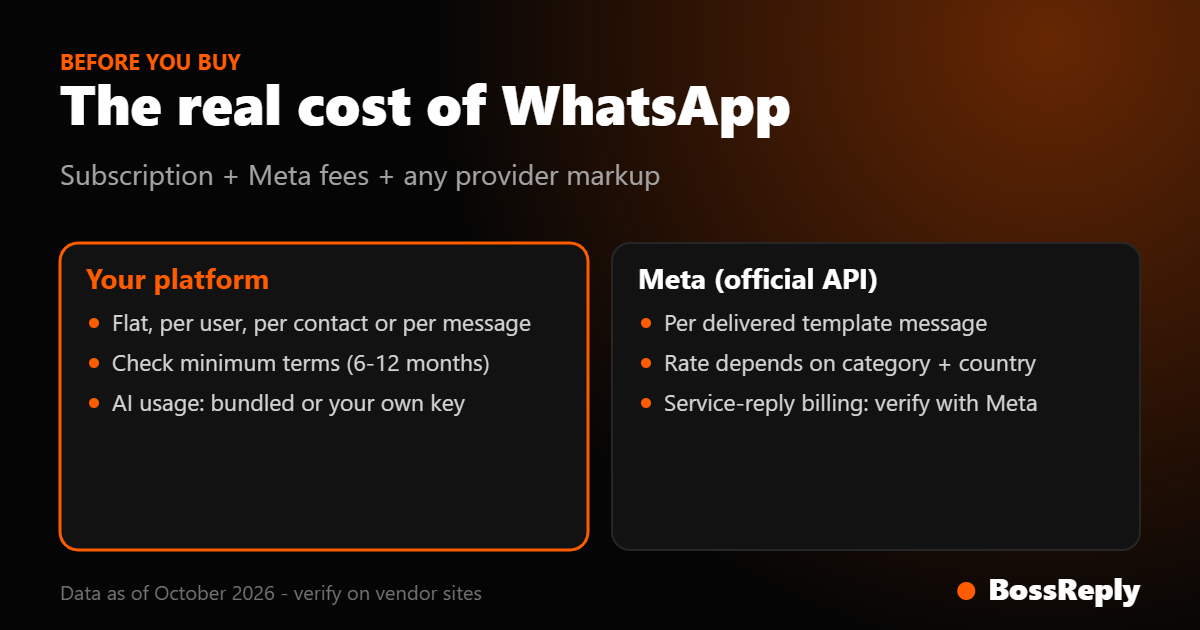
Since July 1, 2025, Meta charges per delivered template message instead of per 24-hour conversation. These Meta fees are separate from your chatbot subscription.
Vendors have announced that replies inside the 24-hour window may become billable from October 1, 2026. Meta's own page did not confirm this when we read it, so check Meta's pricing page.
Pricing models differ: per user, per active contact, per conversation, per message or flat. Compare at your real volume.
What is a WhatsApp chatbot?
A WhatsApp chatbot is software that replies to customers on WhatsApp without a person typing each answer. A rules-based bot follows menus and keywords. An AI chatbot reads the question and answers from your own content. Most platforms add a shared inbox so your team can take over, plus broadcasts, templates and integrations.
How can you connect a WhatsApp chatbot?
WhatsApp Business App
The free phone app suits a one-person business. It offers labels, quick replies and a catalog, links up to four devices, and limits broadcast lists to 256 recipients. It is not designed for automation or mass sending.
WhatsApp Business Platform (Cloud API)
The official route for chatbots, automation and multi-agent teams, usually through a provider. You need approved message templates to start conversations, and Meta charges per delivered template message.
QR-linked tools
These tools link your number the way WhatsApp Web does. They are quick to start, but they sit outside the official platform. WhatsApp's business policy says it may take action against messaging people at scale in an unauthorized manner. Ban reports come from vendors rather than from Meta, so treat them as a risk signal, not a measured rate. Our WhatsApp QR vs Business API guide explains when each makes sense.
What does WhatsApp cost beyond the chatbot?
Meta's pricing depends on the message category and the recipient's country. Marketing templates are always charged. Utility templates are charged outside an open service window and free inside it. Authentication templates are charged. Replies you send inside the 24-hour customer service window were free on Meta's page when we read it, and when a customer reaches you through a click-to-WhatsApp ad or Page button, a 72-hour free window applies after you reply within 24 hours.
However, WATI, Gupshup and Zoho have published notices saying service messages become billable from October 1, 2026, with 1,000 free service messages per month per number. We could not confirm this on Meta's page, so verify before you budget.
Best WhatsApp chatbots at a glance
Tool | Best for | Pricing model | Starting price |
|---|---|---|---|
BossReply | AI agent plus multi-channel inbox | Flat plans | $14/month |
WATI | WhatsApp-first SMB teams | Per plan, user and message | Base price not verified; 7-day trial |
respond.io | Omnichannel B2C teams | Per monthly active contact | $79/month (Starter) |
Zoko | Shopify and e-commerce | Plan plus per-conversation fee | $49.99/month |
Kommo | Sales teams with a CRM | Per user, 6-month minimum | $25/user/month |
Superchat | EU small businesses | Per plan, 12-month minimum | Free, then €89/month |
Chatfuel | AI allowance, unlimited contacts | Plan with AI credit | $20/month (reported) |
SetSmart | AI appointment setting | Plan plus messages | $99/month |
Gupshup | Developers and enterprise | Per message | $0.001/message plus Meta |
Twilio | Custom builds | Per message | $0.005/message plus Meta |
1. BossReply: best overall for AI plus a shared inbox
BossReply connects WhatsApp by QR login or the official Business API, so you can test in minutes and move to the official channel as you scale. It also handles Instagram, Messenger, Telegram and website chat in one inbox, with an AI agent trained on your own content. Choose your AI model (OpenAI, Claude, Gemini or Grok) and bring your own key if you want. Plans are $14, $29 and $69 per month, and they are not priced by the number of contacts. Meta's WhatsApp fees are separate when you use the official API.
2. WATI: best for WhatsApp-first teams
WATI is a WhatsApp team inbox with automation for small businesses and online stores. Plans are Growth, Pro and Business, with 3, 5 and 5 users included, and extra users at $24 (Pro) and $69 (Business). Broadcasts are capped at 15,000 per month on Growth and unlimited above. WATI's pricing page showed a 7-day trial, but we could not capture the base monthly prices, and third-party sites disagree, so check wati.io/pricing. Reviews on aggregator sites mention billing clarity and cancellation as pain points; these sites are partly competitor-written.
3. respond.io: best for omnichannel teams
respond.io covers WhatsApp, Instagram, Facebook, TikTok and more in one conversation inbox. Starter is $79 per month for 5 users, Growth $159 and Advanced $279, with up to 20% off yearly. The page's structured data shows different numbers ($99, $199, $349), so confirm the live price. Pricing scales with monthly active contacts, AI agents start on Growth, and WhatsApp fees are not included. It supports the official API and coexistence with the Business App, and we found no QR option.
4. Zoko: best for Shopify stores
Zoko targets WhatsApp commerce. Starter is $49.99, Plus $79.99, Elite $139.99 and Max $499.99 per month. On top, Zoko charges its own per-conversation fee ($0.015 on Starter) and you pay Meta separately. Instagram costs $9.99 per month extra. AI add-ons are priced separately.
5. Kommo: best for sales teams
Kommo is a CRM with messaging. It charges per user: $25, $35 and $45 per month on 6-month minimum terms, with a 14-day trial. The official WhatsApp API is supported. Costs rise with every seat you add.
6. Superchat: best for small EU teams
Superchat offers a free plan for 1 account and 30 active contacts, then €89, €149 and €299 per month, with a 12-month minimum term. It supports WhatsApp, Instagram, Messenger, Telegram, live chat, email and SMS. AI agents and Copilot cost extra.
7. Chatfuel: best for an AI allowance
A competitor-written review reports Chatfuel at $20 per month, including $20 of AI credit and unlimited contacts. When the AI allowance runs out, the bot pauses unless you add your own OpenAI key. Confirm current pricing on chatfuel.com.
8. SetSmart: best AI appointment setter
SetSmart qualifies leads and books calls through WhatsApp Business API, Instagram and Messenger. Pro is $99 per month with 1,000 messages after a 7-day trial.
9. Gupshup and Twilio: best for developers
Gupshup lists $0.001 per message plus Meta's fees. Twilio charges $0.005 per message in or out plus Meta. Both give you the pipes, not a finished inbox, so you build the chatbot yourself. Twilio's page also notes its own fee for failed messages.
How do you choose a WhatsApp chatbot?
Decide how you connect: official API for scale and compliance, QR only for quick tests you accept the risk on.
Add up the Meta fees: they are separate from every subscription.
Pick your pricing model: per user, per contact, per message or flat.
Test the AI: does it answer from your content, and can you change the model or bring your own key?
Read the contract: minimum terms of 6 or 12 months change the risk.
Mistakes to avoid with a WhatsApp chatbot
Messaging people who have not opted in.
Comparing only subscription prices and forgetting Meta's per-message fees.
Running broadcasts through an unofficial QR connection on your main business number.
Signing a long minimum term before testing the chatbot on real conversations.
Frequently asked questions
What is the best WhatsApp chatbot?
It depends on your setup. BossReply suits an AI agent with a shared inbox, WATI and respond.io suit team inboxes on the official API, and Zoko suits Shopify stores.
Is there a free WhatsApp chatbot?
The WhatsApp Business App is free but not built for chatbots. Superchat lists a free plan with 30 active contacts, and trials exist at WATI and respond.io.
How much does a WhatsApp chatbot cost?
Platform plans range from about $14 to several hundred dollars a month, and Meta charges template fees on top. BossReply starts at $14 per month.
Do I need the WhatsApp Business API?
For automation at scale, templates and a multi-agent team, yes. A QR connection is faster to start, but it runs outside the official platform.
Is a QR-based WhatsApp chatbot safe?
It carries more risk. WhatsApp's policy allows action against unauthorized scaled messaging, and vendors report bans. Use QR for testing and the official API for production.
Can a WhatsApp chatbot use AI?
Yes. AI chatbots answer from your own content. With BossReply you can choose the AI model and bring your own key.
Does WhatsApp charge for replies?
Meta charges per delivered template message. Vendors announced that service replies become billable from October 1, 2026, with 1,000 free per month, but we could not confirm this on Meta's page. Check Meta's pricing documentation.
Do the prices change?
Yes. Meta updates rates at the start of each quarter, and vendors change plans often. Confirm each price on the vendor's website.
Sources and method
We compared connection type, AI, pricing model and fit. Official pages: bossreply.com/pricing, wati.io/pricing, respond.io/pricing, zoko.io/pricing, kommo.com/pricing, superchat.com/pricing, gupshup.ai/pricing, twilio.com/en-us/whatsapp/pricing and setsmart.io. Meta: developers.facebook.com/docs/whatsapp/pricing and whatsappbusiness.com/policy. The Chatfuel figure comes from a competitor-written review. The October 2026 service-message change comes from vendor notices (WATI, Gupshup, Zoho), not Meta. Prices were read on October 17, 2026.
Conclusion
Pick the connection first, then the tool. For an AI-led inbox with a flexible start, BossReply fits. For a team inbox on the official API, compare WATI and respond.io. Test one real conversation flow before you pay.
Try BossReply: get started, see the WhatsApp chatbot page, or compare WhatsApp chatbots for small business.