How to Set Up Instagram Comment-to-DM Automation (Step by Step, 2026)
Short answer: To set up Instagram comment-to-DM automation, switch to a professional account, connect it to an automation tool, pick the post or Reel, choose a trigger keyword, write the DM that goes out, test it from a second account, then switch it on. Meta allows one private reply per comment, sent within 7 days of the comment.
Last updated: October 17, 2026. Written by the BossReply Team. BossReply offers Instagram comment-to-DM, so it is our product; we describe the setup in general terms that apply to any tool, and we link every Meta source at the end. Rules change, so confirm them on the official pages.
Key takeaways
You need an Instagram professional account (Business or Creator). A personal account cannot use Meta's messaging API.
Meta allows exactly one private reply per commenter, and it must be sent within 7 days of the comment. For Live videos it must go out during the broadcast.
The first message cannot be a conversation by itself. The person has to reply before you can keep talking, and then a 24-hour messaging window applies.
Test with a second account before you announce a keyword, and write the first DM so that one tap or one short reply is enough.
What is Instagram comment-to-DM automation?
Comment-to-DM automation watches the comments on your posts and Reels, spots a keyword such as "GUIDE", and sends the commenter a direct message automatically. Behind the scenes it uses Meta's "private replies" feature, which lets a business send one message to a person who commented.
The tool sends the message in a private conversation, not in the comment thread. In BossReply, comment-to-DM catches the keyword and sends the DM; it does not post a public reply under the comment. If you also want a public "check your DMs" reply, check what your tool supports or reply by hand.
The message lands in the commenter's Inbox if they follow you, or in their Requests folder if they do not (per Meta's developer documentation). That detail matters for your wording, which we cover in the steps below.
What do you need before you start?
You need a professional Instagram account (Business or Creator; a personal account cannot use Meta's messaging API), a tool that connects through Meta login, one offer per keyword, and a short keyword people can type. Our account type guide covers switching, and our keyword guide lists 30 options.
How do you set up comment-to-DM step by step?
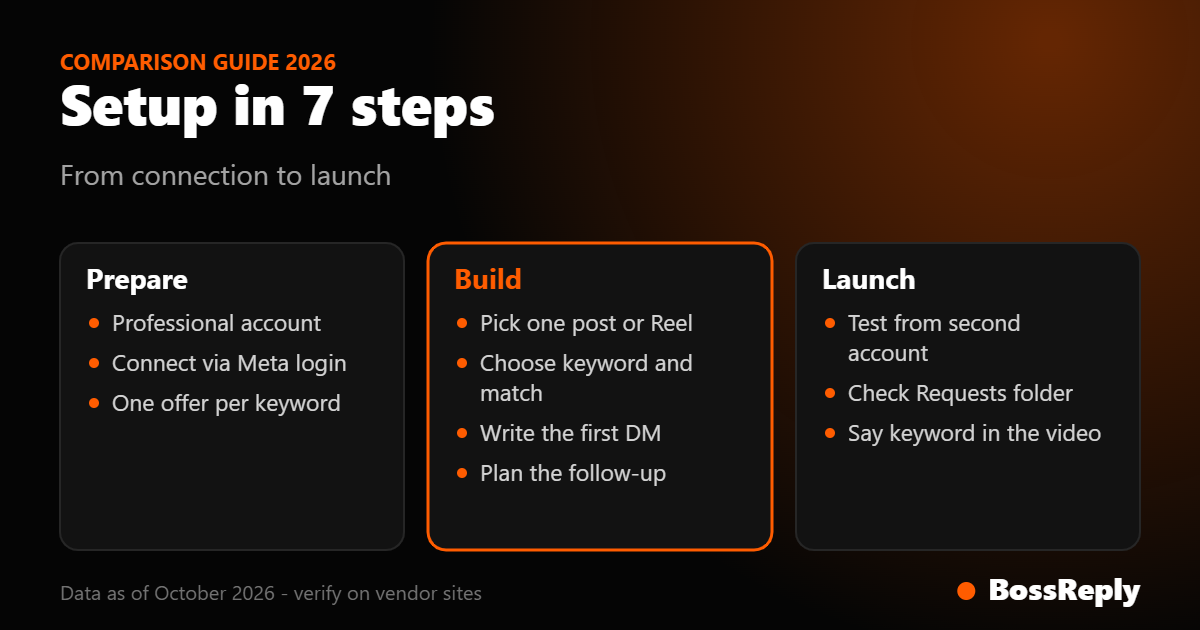
The exact buttons differ between tools, but the sequence is the same in all of them. Allow about 20 minutes for the first automation.
Step 1: Connect your Instagram account
Open the tool, choose Instagram as the channel and log in with the Instagram account that owns the posts. Approve the permissions it requests. If your tool shows a list of connected pages or accounts, select the right one, because connecting a different account is a common first-day mistake.
Step 2: Choose where the trigger listens
Most tools let you pick a specific post or Reel, all posts, or the next post you publish. For a first test, pick one specific post. Targeting every post means a stray word in an unrelated comment can fire your automation.
Step 3: Set the trigger keyword
Type the keyword and decide how strict the match is. Many tools offer "contains" matching (the comment includes the word anywhere) and "exact" matching (the comment is only that word). Contains catches "GUIDE please!" but also "I need a guide for something else". For a free-resource offer, contains is usually fine; for a paid offer, consider exact.
Step 4: Write the first DM
This is the only message Meta lets you send before the person replies, so it has to work alone. Follow this pattern:
One line that says why they are getting it ("Here is the checklist you asked for").
The link or the promised item.
One easy question to start a real conversation ("What is the biggest thing you are stuck on?").
Keep the link and the question in the same message. Because the person must reply before you can continue, the question is what unlocks your follow-up. Our auto-reply templates give you 25 starting points.
Step 5: Add the follow-up for when they reply
After the person replies, the 24-hour messaging window opens. Build the second and third messages now: confirm what they want, answer common questions, and offer a human option. In BossReply, an AI agent trained on your own content can answer follow-up questions, and your team can take over from the shared inbox when a lead is ready.
Step 6: Test from a second account
Comment the keyword from a different Instagram account, ideally one that does not follow you. Check three things: did the DM arrive, did it land in Requests, and does the link open correctly on a phone? Then reply to the DM and confirm the follow-up fires.
Step 7: Announce it and switch it on
Tell your audience what to comment, in the caption and out loud in the video: "Comment GUIDE and I will send it to you." Say what they will get so the comment feels worth making.
Step | What you do | Common mistake |
|---|---|---|
1. Connect | Log in and approve permissions | Connecting the wrong account |
2. Target | Pick one post or Reel to test | Listening on all posts too early |
3. Keyword | Choose a short word and match type | Keyword that is hard to type |
4. First DM | Item, link and one question | Long message with no question |
5. Follow-up | Build the reply-triggered messages | Nothing planned after the reply |
6. Test | Comment from a second account | Skipping the Requests-folder check |
7. Launch | Say the keyword in caption and video | Not saying what they will receive |
What are Meta's limits for private replies?
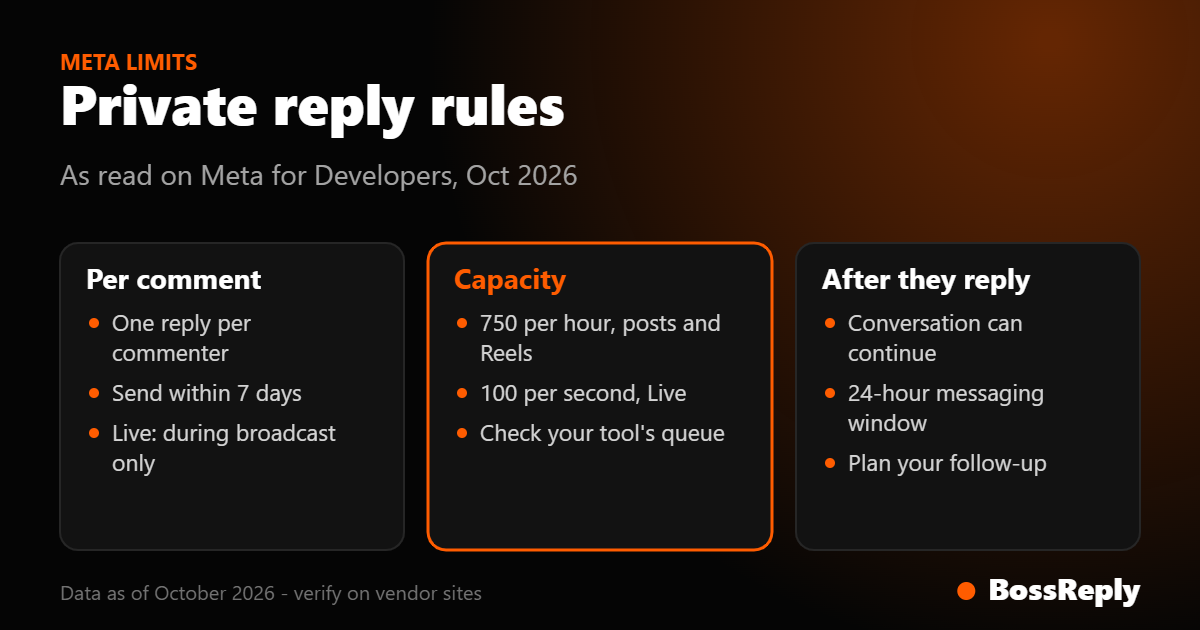
Meta's documentation sets four limits you should design around: one private reply per comment, a 7-day window, an hourly rate cap, and a 24-hour window after the person replies. We read these on Meta for Developers in October 2026.
One message per commenter. Only one private reply can be sent to each commenting user. A second comment from the same person does not unlock a second automated DM.
7 days. For posts, ads posts and Reels, the private reply must be sent within 7 days of the comment. Comments older than that cannot receive one.
Live videos. Private replies to Live comments can only be sent while the broadcast is running.
Rate limits. Meta lists 750 private reply calls per hour per Instagram professional account for post and Reel comments, and 100 calls per second for Live comments. If a post goes viral and thousands comment in an hour, some DMs may queue or fail, depending on how your tool handles the cap.
After the reply. The conversation can continue only after the user responds, and then your app has 24 hours to respond to each new message from them.
Meta also notes that commenting on a boosted or ads post can produce duplicate webhook notifications, so a good tool de-duplicates them. If you run ads, test with a small budget first.
How do you write a first DM that gets a reply?
Write it like a text from a person, deliver the promise immediately and end with a question that is easy to answer in one word. Long pitches in the first message tend to be ignored, so save the sales conversation for after they reply.
For example, a fitness coach running a "PLAN" keyword might send: "Hey, thanks for commenting! Here is the free 3-day starter plan: [link]. Quick question so I can point you to the right next step: is your goal fat loss or muscle gain?" The link delivers the promise, and the question gives the person a reason to answer, which opens the 24-hour window for your follow-up.
Because many commenters do not follow you, the message may arrive as a request. Name your account in the first line so they recognise it ("It's Sam from Sam Fitness"). Avoid links that look like spam, such as long shortened URLs with no context.
How much does comment-to-DM cost?
It depends on how the tool prices: per contact, per message or flat. BossReply uses flat plans of $14 (Starter), $29 (Pro) and $69 (Agency) per month, with yearly billing saving up to 17%, and it does not price by stored contacts. Check the pricing page for current limits. For a side-by-side of tools, read our comment-to-DM tools comparison, and see the BossReply comment-to-DM page for how our feature works.
Frequently asked questions
Can I use comment-to-DM on a personal Instagram account?
No. Meta's messaging API works with professional accounts, so you need to switch to a Business or Creator account first. Switching is done in the Instagram app settings.
How long do I have to send the automated DM?
Seven days from the comment for posts and Reels. For Live videos, only while the broadcast is running. Good tools send within seconds, so this limit rarely matters unless something fails.
Can the tool send more than one message after a comment?
Not before the person replies. Meta allows one private reply per commenter, and the conversation can continue only after they answer, within the 24-hour messaging window.
Why did the DM go to Message Requests?
Meta delivers private replies to the Inbox if the person follows you and to Requests if they do not. Mention your account name in the first line so they recognise it.
Is this allowed by Instagram?
Private replies are an official Meta feature when sent through approved tools and used within its limits. Read our Meta rules explainer for what to avoid.
Sources and method
We read these pages in October 2026. Meta updates its documentation often, so confirm limits on the official pages before relying on a number.
Meta for Developers: Private Replies (read October 2026): one reply per commenter, 7-day window, Live broadcast rule, Inbox versus Requests delivery, Page ID and permission requirements.
Meta for Developers: Messenger Platform rate limits (read October 2026): 750 calls per hour for post and Reel private replies, 100 calls per second for Live.
Meta for Developers: Instagram Messaging API (read October 2026): professional account requirement, 24-hour response window, Advanced Access.
Meta for Developers: Messenger Platform and Instagram Messaging API policy (read October 2026): private reply rules and automated chat disclosure guidance.
The example DMs are illustrative, not results from a real account. We did not test other vendors' setup screens for this guide, so button names may differ in your tool.
Conclusion
Comment-to-DM works best when it is simple: one post, one keyword, one offer, and a first DM that ends with a question. Respect Meta's one-message and 7-day rules, test from a second account, and plan the follow-up before you launch. When you are ready to try it, you can start at chat.bossreply.com.