Is Instagram DM Automation Allowed? Meta Rules Explained (2026)
Short answer: Yes, Instagram DM automation is allowed when it runs through Meta's official Instagram Messaging API with an approved tool and a professional account. Meta limits it: one private reply per comment within 7 days, replies within a 24-hour window, and no messaging people who have never contacted you. Misuse can restrict your account's ability to send messages.
Last updated: October 17, 2026. Written by the BossReply Team. BossReply is our product and offers Instagram automation, so we quote Meta's own pages and link them at the end. This is general information, not legal advice. Meta changes its rules, so confirm on the official pages.
Key takeaways
Automation through Meta's official API is permitted. Scripts that fake human taps or ask for your Instagram password are a different category, and we cover why they are riskier.
The core rules are the message-first rule, the 24-hour window, and one private reply per comment within 7 days.
Where the law requires it, bots must tell people they are automated. Meta singles out California and German users for attention.
The safe pattern is: opt-in trigger, useful reply, an easy way to reach a human, and no unsolicited bulk messages.
Is Instagram DM automation against the rules?
No. Meta provides an official Instagram Messaging API specifically so businesses and creators can reply to messages and comments automatically through approved apps. What is against the rules is spam, ignoring the messaging windows, and using tags for purposes they were not approved for.
Meta's developer pages describe automation as a normal use. They even classify bots as automated, manual-reply or hybrid, and ask automated bots to respond to user input within 30 seconds (per Meta's Messenger Platform and Instagram Messaging API policy, which we read in October 2026). So the question is not whether you may automate, but how.
What does Meta actually require?
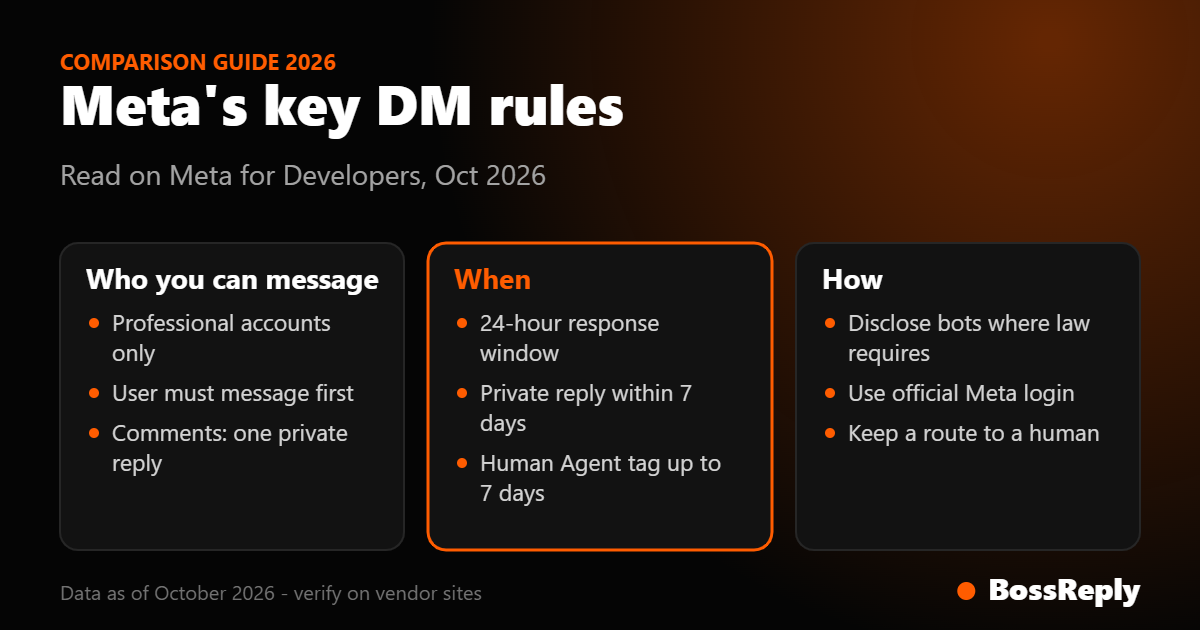
Meta requires a professional account, an approved connection and compliance with its messaging windows. The key rules, as stated on Meta for Developers in October 2026, are in the table below.
Rule | What Meta says |
|---|---|
Account | Messages are sent from an Instagram professional account |
Message first | Apps can message a user only after that user has messaged the account |
24-hour window | The app has 24 hours to respond to each message from the user |
Private replies | One reply per commenter, within 7 days of the comment |
Live comments | Private replies only while the broadcast runs |
Human Agent tag | Manual replies by a person for up to 7 days |
Bot disclosure | Required where law requires; recommended otherwise |
Access level | Advanced Access for apps serving accounts they do not own |
Can you message people who never contacted you?
No. Meta's Messaging API documentation says an app can only message a user after that user has messaged your professional account. A comment counts only through the private reply feature, which allows a single message per commenter.
This is the rule that separates compliant automation from spam. Buying follower lists, scraping profiles and cold-messaging them is not supported by the official API. If a tool promises to "DM thousands of strangers", read that as a warning sign.
What are the rules for comment-to-DM?
Comment-to-DM uses Meta's private replies feature, and the rules are strict and simple. You can send one private reply per commenting user, within 7 days of the comment on posts, ads posts and Reels. For Live videos, it must be sent during the broadcast.
The conversation can continue only after the person replies, and then the 24-hour messaging window applies. Meta also lists rate limits: 750 private reply calls per hour per professional account for post and Reel comments, and 100 per second for Live. For the full setup, see our comment-to-DM setup guide, and for how our feature behaves see the BossReply comment-to-DM page.
Do you have to tell people it is a bot?
Where the law requires it, yes. Meta's policy says bots must disclose they are automated at the start of a thread, after a significant time lapse, and when a chat moves from a human to a bot, if applicable law requires. It recommends disclosure as good practice even when not required, and calls out California and German users for special attention. Meta's Instagram Messaging API page repeats that automated chats must disclose in certain cases.
We cannot tell you which laws apply to your business; ask a qualified professional. In practice, a simple line works for most accounts: "I'm the automated assistant for [Brand]. Type HUMAN anytime to reach a person." It sets expectations and gives people an exit.
What is the Human Agent tag and when can you use it?
The Human Agent tag lets a real person reply manually outside the normal 24-hour window, for up to 7 days according to Meta's policy page. It is meant for support situations where a person needs more time, not for automated messages or promotions.
Meta warns that using tags outside approved use cases can restrict your ability to send messages. Meta's human-agent escalation documentation also describes passing a conversation from an automated flow to a person when a keyword, fallback or quick reply signals the need. This is why a shared inbox with handover matters: in BossReply, a conversation can move from the bot to your team in the inbox. We did not verify the exact duration of the tag on the Instagram-specific page, so rely on the policy page and check it before building a process around it.
Can you send promotions?
Yes, inside the standard messaging window. Meta's policy says messages sent within the 24-hour window may include promotional content. Outside the window, tags are for approved non-promotional use cases only. Sponsored messages are a separate paid format that must follow Meta's advertising policies.
Two formats Meta describes are not available on Instagram: one-time notifications and news messages. If a tool claims it can send them on Instagram, ask how.
What happens if you break the rules?
Meta says violations can restrict a Page's or account's ability to send messages. In its policy, notices arrive in the Page Support Inbox and admins have 7 days to comply before limits may apply. We could not verify how often accounts are restricted, and we do not quote any statistics.
There is also a volume limit worth knowing. Meta's rate-limit page says that above 72,000 messages sent and received, new messages stop appearing in the Instagram Inbox, and the account cannot send until volume drops. This is far beyond what a typical coach or shop reaches, but agencies running large campaigns should plan for it.
Which methods are risky?
Methods that bypass the official API are riskier. Examples include tools that ask for your Instagram username and password, browser extensions that click through the app on your behalf and scripts that follow, like and DM at volume. They are not covered by Meta's API rules, and Meta's documentation does not describe them as supported. We could not find a Meta statement naming specific enforcement for them, so treat this as a caution, not a verdict.
A quick test: official integrations ask you to log in on Meta's own login screen and approve specific permissions. If a tool asks you to type your Instagram password into its own form, stop and ask why.
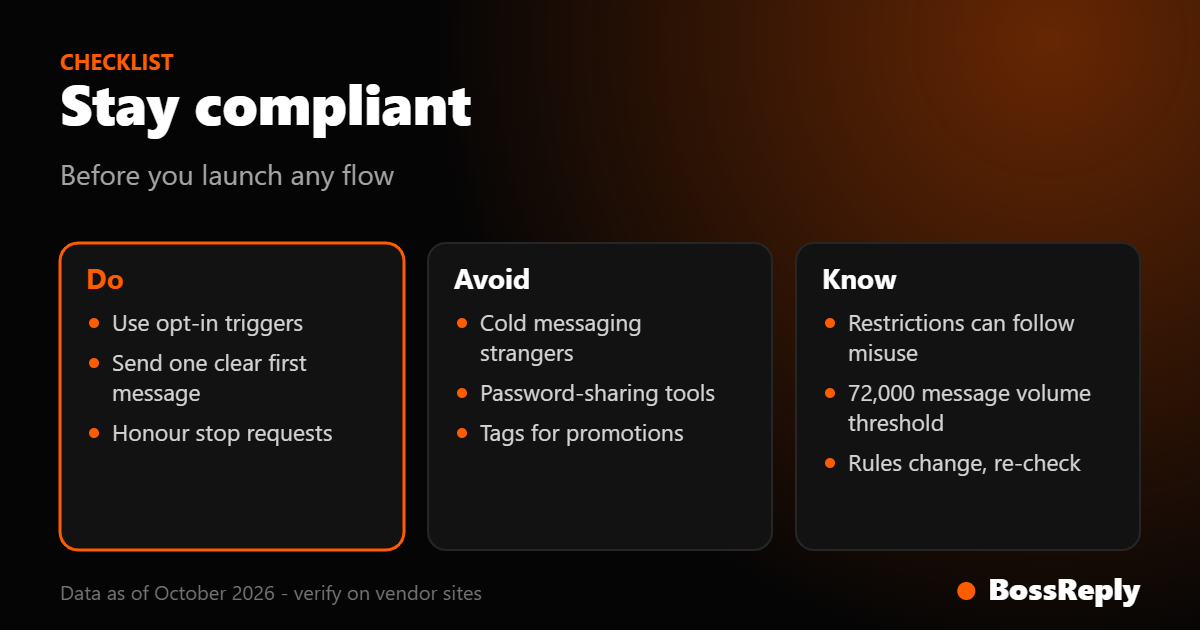
A practical compliance checklist
Use this before you launch any Instagram automation.
Confirm the account is a professional account and the tool connects through Meta login.
Use triggers people choose themselves: comments with a keyword, story replies, direct messages.
Send one clear first message, then wait for the reply before continuing.
Tell people they are talking to an automated assistant and how to reach a human.
Respect opt-outs. If someone asks to stop, stop. Meta's policy says users can block or mute a conversation, and it is good practice to honour stop requests as well.
Never store or reuse story media outside what Meta allows. For story mentions, Meta says you must not store the media content on your server.
Review your flows monthly against Meta's pages.
For tools that handle these rules well, compare options in our best Instagram chatbots list, or read the BossReply pricing if you want to know what a flat-priced plan includes.
Frequently asked questions
Will Instagram ban me for using a chatbot?
Meta does not ban chatbots as such; it provides an official API for them. It can restrict messaging for spam or misuse of tags, so stay inside the windows and send only wanted messages.
Is comment-to-DM allowed?
Yes, through Meta's private replies feature, with one message per commenter within 7 days of the comment.
Do I have to disclose that my replies are automated?
Where applicable law requires it, yes, per Meta's policy. Meta recommends it everywhere. This is not legal advice, so check your own obligations.
Can I send a DM to someone who follows me but never messaged?
Not through the API. Apps can only message a user after the user has messaged your account, with private replies to comments as the allowed exception.
How long can I keep chatting automatically?
Your app has 24 hours to respond to each new message from the user. Each new message from them reopens the window.
Are third-party tools that ask for my password safe?
We would avoid them. Official tools use Meta login and scoped permissions, and you can revoke access from your account settings.
Does BossReply use the official route?
BossReply connects Instagram for comment-to-DM and inbox replies; ask us or read the product page for the connection details, as we do not list technical specifics here.
Sources and method
All pages were read in October 2026. Meta may have changed them since.
Messenger Platform and Instagram Messaging API policy: windows, Human Agent tag (7 days), promotional content, automated chat disclosure, enforcement notice period.
Instagram Messaging API: message-first rule, 24-hour response window, professional account, Advanced Access, disclosure note.
Private Replies: one reply per commenter, 7 days, Live rule.
Messenger Platform rate limits: 750 per hour, 100 per second, 72,000 message threshold.
Story mentions: do not store story media.
Human agent escalation: handover approach; tag duration not stated there.
We did not review Meta's full Platform Terms or Developer Policies text, so contractual details are not covered here.
Conclusion
Instagram DM automation is allowed when it follows Meta's official route and its messaging rules. Keep messages wanted, honour the windows, disclose when required and give people a path to a human. If you want a tool built around those habits, you can try BossReply at chat.bossreply.com.