Instagram Story Reply Automation: How It Works and When to Use It
Short answer: Instagram story reply automation sends an automatic DM when someone replies to your story or mentions your account in theirs. It works through Meta's messaging API, so it needs a professional account, and your reply must fit Meta's 24-hour window. Use it for launches, polls, giveaways and FAQs, not for spamming people who never replied.
Last updated: October 17, 2026. Written by the BossReply Team. BossReply is our product and provides an Instagram inbox and automation, but we could not confirm story-specific triggers for it, so we describe this feature in general terms and tell you what to check in any tool. Rules change; confirm on Meta's pages.
Key takeaways
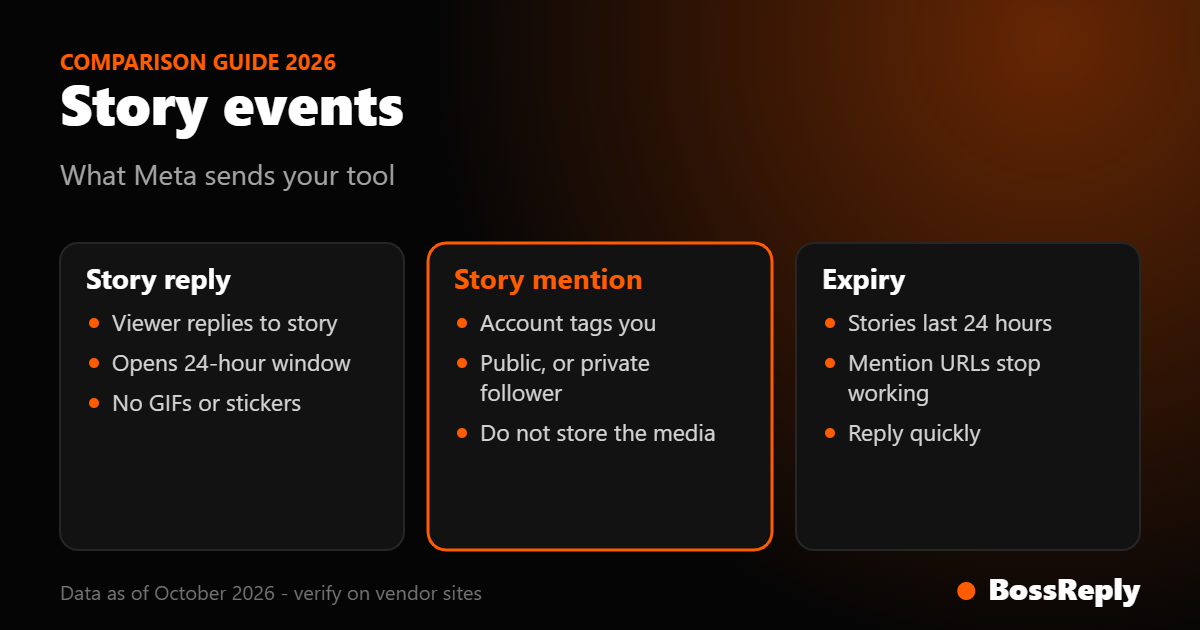
A story reply is a message the person sends you, so it opens the normal 24-hour messaging window. A story mention is a notification that someone tagged your account in their story.
Story mention notifications arrive only if the mentioning account is public, or private and following you. You must not store the story media on your server.
Story mentions and stories expire after 24 hours, so reply quickly and do not build flows that depend on the story staying visible.
Story replies are the best trigger for warm, low-pressure conversations; comment-to-DM is better for putting an offer in front of a larger audience.
What is Instagram story reply automation?
Story reply automation answers people who reply to your Instagram story with an automatic direct message. When a viewer types a reply in the message box under your story, it arrives in your DMs, and a tool connected through Meta's API can respond instantly with a link, an answer or a question.
It differs from comment-to-DM. A comment is public and triggers Meta's one-message private reply. A story reply is already a private message, so the conversation is a normal DM thread and the standard messaging rules apply. For comparison see our comment-to-DM setup guide.
How does it work technically?
Story replies and mentions arrive in the messages webhook of Meta's Instagram API, and your tool decides what to send back. You do not need to read the technical detail to use a tool, but knowing it explains the limits.
Story replies arrive in the messages field. Meta's page says each includes a reply_to object holding the story's ID and a CDN URL. It also notes that the story replies webhook currently does not support GIFs or stickers.
Story mentions also arrive in messages, as an attachment of type story_mention with a URL.
Permissions. The messages webhook needs instagram_business_basic and instagram_business_manage_messages under Instagram Login (per Meta's webhook documentation).
Delivery. Meta retries failed webhook deliveries for up to 36 hours, so a good tool handles duplicates.
Meta's documentation does not fully describe the story reply payload, and third-party sources describe it with different field names, so we recommend checking a live payload if you build your own integration. Most readers will simply use a tool.
Event | What it is | Key rule |
|---|---|---|
Story reply | Viewer replies to your story | Opens the 24-hour window; GIFs and stickers not supported in the webhook |
Story mention | Someone tags you in their story | Works for public accounts, or private accounts that follow you |
Comment | Public comment on a post or Reel | One private reply, within 7 days |
Direct message | Person messages you first | App has 24 hours to respond |
What are Meta's rules for story mentions?
Meta sets three rules for story mentions: visibility, storage and expiry. First, the notification flows in only when the mentioning account is public, or when a private account follows yours. Second, you must not store the media on your server; you may store the CDN URL. Third, the story disappears after 24 hours or when the person deletes it, so any link to it stops rendering.
Practical effects: you can thank people for tagging you, but you cannot rely on keeping a copy of their story for your own posts. If you want to repost user content, ask for permission in the thread and have the person send the file or post it themselves. We read this on Meta's story mention page in October 2026 and recommend that you read it again before you launch.
When should you use story reply automation?
Use it when your story asks viewers to reply, and when speed matters more than public reach. Stories reach people who already follow you, so the audience is warmer than a cold Reel.
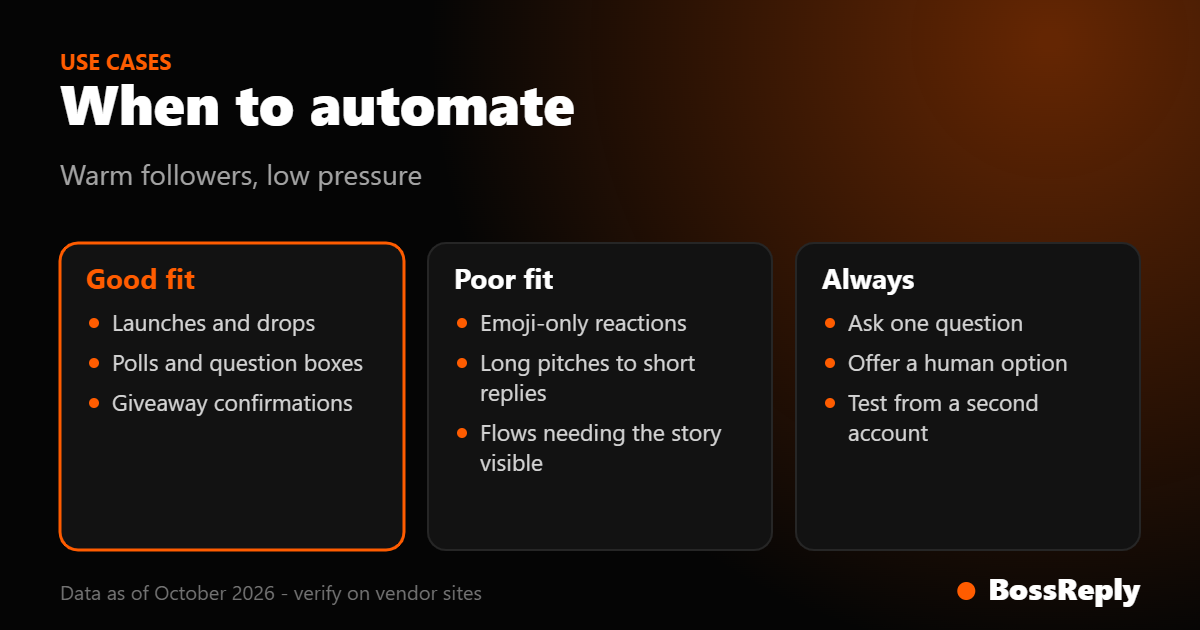
Good use cases
Launches and drops. "Reply LAUNCH for early access." The automation sends the link and asks one question.
Polls and questions. Send a follow-up when someone replies with feedback, and thank them.
Giveaways. Confirm entry by DM. See the giveaway automation guide for the rules to follow.
FAQs. "Reply PRICE for our price list." Useful for products shown in a story.
Thanks for mentions. Send a short thank-you to people who tag you, with a discount code or a request for permission to share.
Poor use cases
Sending promotions to people who only reacted with an emoji; if they did not message, you do not have a conversation yet.
Replying with long sales pitches to a one-word story reply.
Running a flow that depends on the story still being visible after 24 hours.
How do you set it up?
The steps are similar in any tool. In BossReply you connect Instagram to your shared inbox, and we have not verified a dedicated story-reply trigger beyond the inbox, so check your tool's feature list for story support before you commit.
Use a professional account. Meta's messaging API needs one. See our account type guide.
Connect through Meta login and approve message permissions.
Choose the trigger. Options usually include any story reply, a specific keyword in a reply, or a story mention.
Write the response. Keep it short, name your brand and ask one question. Templates are in our auto-reply template list.
Add a human option. Say people can type HUMAN to reach you, and make sure your inbox shows the conversation to your team.
Test. Reply to your own story from a second account, and check what the person sees, including on a phone.
Example story reply flows
These are illustrative examples, not results from a real account.
Launch flow: A coach posts a story: "Doors open Friday. Reply JOIN for the details." When a viewer replies JOIN, the automation sends: "Hi! It's [Brand]. Here are the details: [link]. What's your main goal right now?" When they answer, the thread moves to your team or an AI agent.
Mention flow: A customer tags your shop in a story. The automation sends: "Thanks for the tag! We love it. Can we share it on our page? Just reply YES." You then follow up manually, because you cannot store the story media yourself.
Question box flow: A restaurant asks "What should we add to the menu?" and the automation replies with a thank-you and a link to the full menu.
Story reply vs comment-to-DM: which should you pick?
Pick story replies for warm followers and quick conversations. Pick comment-to-DM when you want public social proof and wider reach from a post or Reel. The two work well together: tease an offer in a Reel with a comment keyword, then remind followers in a story with a reply keyword.
Comment-to-DM sends one message per commenter within 7 days and does not post a public reply in BossReply. Story replies have no private-reply cap, because the person has already messaged you, but your response must still be inside the 24-hour window. Meta lists a Send API limit of 300 calls per second for text per professional account, which is well above what most accounts need. See the BossReply comment-to-DM page for how that feature works and pricing for plan details.
Frequently asked questions
Can I auto-reply to every story reply?
Yes, with a tool connected through Meta's API. Since the person messaged you, you are inside the 24-hour window. Keep the reply useful rather than promotional.
Can I reply to people who only react to my story with an emoji?
We could not verify that reactions create a messaging window. Meta's documentation describes replies and mentions, not reactions, so do not plan flows around reactions.
Do story mentions work for private accounts?
Only if the private account follows you, according to Meta's story mention documentation.
Can I save a customer's story?
Meta says you must not store story media on your server. Ask the customer to share the file, or use Instagram's own reshare tools by hand.
Do story replies support GIFs and stickers?
Meta's webhook documentation says the story replies webhook currently does not support GIFs or stickers, so those may not come through.
Is story reply automation allowed?
Yes, through Meta's official API and within its rules. See our DM automation rules explainer.
How long do I have to respond?
Meta says your app has 24 hours to respond to any message from an Instagram user. The sooner the better, since stories vanish after 24 hours.
Sources and method
Pages read in October 2026. Meta's pages did not give a full description of story reply payloads, so that part is flagged above.
Meta for Developers: Instagram Messaging webhooks: story replies, reply_to, no GIF or sticker support, story mention attachment.
Meta for Developers: Story mention: public or following requirement, do not store media, 24-hour expiry.
Instagram Messaging API: 24-hour response window, professional account.
Instagram webhooks: permissions and 36-hour retry behaviour.
Messenger Platform rate limits: Send API limit of 300 calls per second for text.
Conclusion
Story reply automation is a low-pressure way to turn followers who already engage into conversations. Keep replies short, stay inside the 24-hour window, respect the story mention storage rule and give people a route to a human. If you want a shared inbox for those conversations across Instagram, WhatsApp and more, you can start with BossReply at chat.bossreply.com.