How to Create a WhatsApp Chatbot: No-Code Step by Step (2026)
Short answer: To create a WhatsApp chatbot without code, pick a platform, connect your business number (through the official WhatsApp Business Platform or a QR link), add your answers or knowledge base, set up human handover, test with real questions, and then go live. Most small businesses can have a working bot in an afternoon, but approval and billing details take longer.
Last updated: October 17, 2026. Written by the BossReply Team. BossReply is our product and is mentioned where relevant; Meta's rules and prices change, so confirm them on the official pages listed at the end.
Key takeaways
You do not need to write code. A no-code platform connects your number, hosts the bot, and gives your team an inbox.
There are two connection routes: the official WhatsApp Business Platform (Cloud API) and QR-linked tools. The official route has clearer rules, and the QR route is quicker but sits outside the official platform.
Meta charges per delivered template message on the official platform. Those charges are separate from your chatbot subscription.
Test with real customer questions and keep a human handover path before you announce the number.
What do you need before you start?
You need a phone number you control, a clear idea of what the bot should do, and the content it will use to answer. A number already registered on the personal WhatsApp app or the WhatsApp Business app usually needs special handling before it can move to the API, so decide early whether to reuse your current number or buy a new one. Our guide on moving from the Business app to the API explains the options.
For the official route, Meta's documentation says you must have a business portfolio to use the platform, and that a WhatsApp Business Account (WABA) holds your phone numbers and analytics. Platforms usually guide you through creating these in a sign-up flow, so you rarely need to touch Meta's developer tools yourself.
Gather these before you begin:
Your business name, website and country, which Meta uses to set up the account.
Access to a Facebook account that can manage your business portfolio.
A short list of the 10 to 20 questions customers ask most.
Documents or web pages with your prices, hours, policies and answers.
Which connection method should you choose?
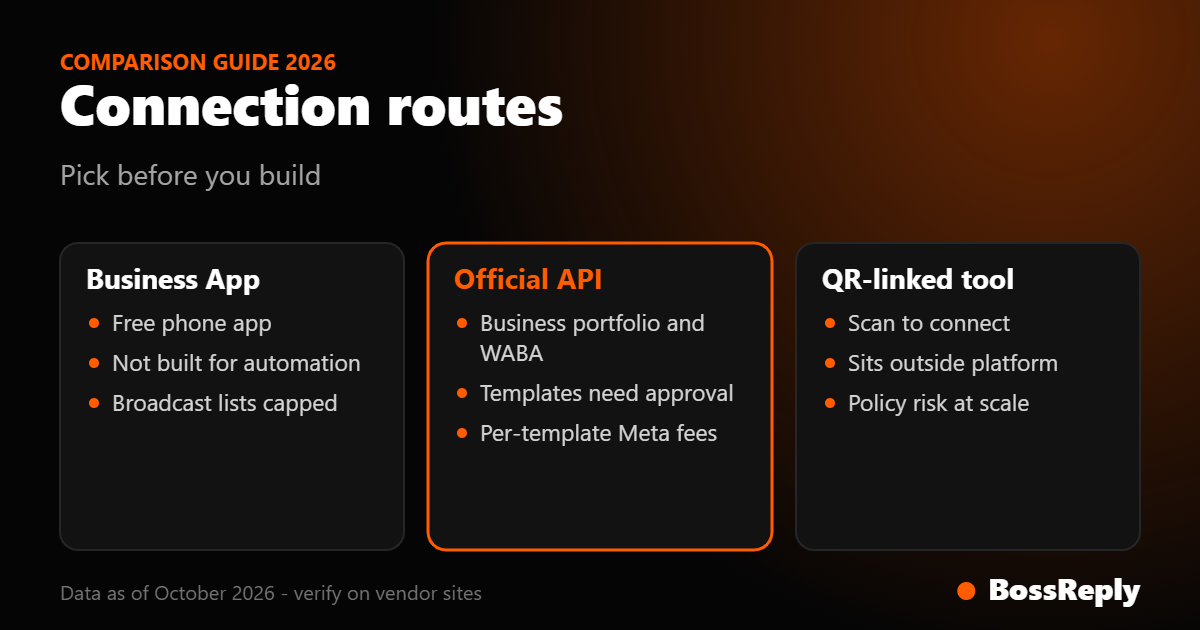
Choose the official WhatsApp Business Platform if you plan to message customers at scale or need template messages. Choose a QR link only for low-volume tests, and understand the risk. WhatsApp's business policy says it may take action against people who message at scale in an unauthorized manner. Reports of bans come mostly from vendors rather than from Meta, so treat them as a risk signal, not a measured rate.
Method | Setup effort | Templates and broadcasts | Main consideration |
|---|---|---|---|
WhatsApp Business App | Minimal | Broadcast lists limited to 256 recipients (reported by Kommo) | Not designed for automation |
Official Business Platform (Cloud API) | Moderate: business verification and templates | Yes, with Meta approval and per-message fees | Clearest rules |
QR-linked tool | Low: scan a code | Depends on the tool | Outside the official platform |
BossReply supports both a QR login and the official Business API, so you can start with one and change later. The longer comparison is in WhatsApp QR vs Business API.
How do you build a WhatsApp chatbot step by step?
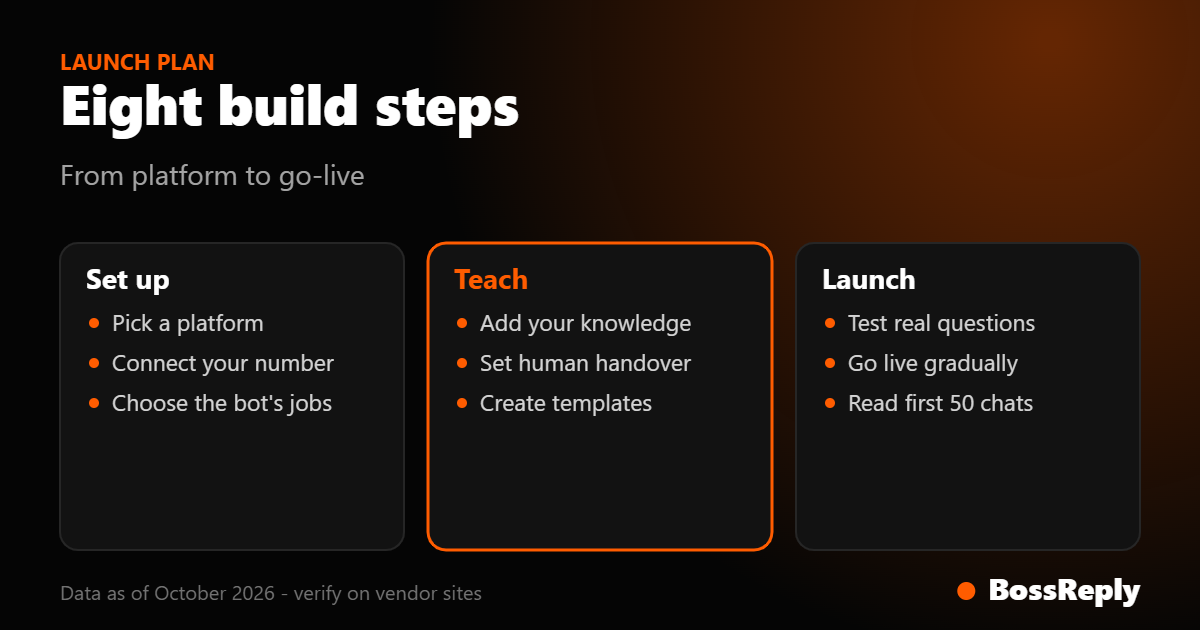
Step 1: Pick a platform that fits your volume
Compare pricing models before you commit. Some tools charge per user, some per active contact, some per conversation and some per plan. Our list of the best WhatsApp chatbots and the pricing models guide show how the same volume costs different amounts on different tools.
Step 2: Connect your number
For the official route, the platform will walk you through connecting your Facebook business portfolio and registering the number. For a QR link, you scan a code in WhatsApp under linked devices. Either way, confirm that the number shows as connected before moving on.
Step 3: Decide what the bot should do
Start narrow. A bot that does three things well beats one that attempts twenty. Good first jobs are answering FAQs, collecting a booking request, qualifying a lead with two or three questions, and handing over to a person.
Step 4: Add your knowledge
If your platform has an AI agent, give it your real content: web pages, price lists and policies. In BossReply this is a knowledge base, and the AI agent is trained on your own content. Write clear, short passages and avoid contradictions between documents. If you use a rule-based flow instead, draft each menu option and the exact wording of each answer.
Step 5: Set up human handover
Decide which messages the bot must pass to a person: complaints, refunds, custom quotes, anything involving health or money. In a shared inbox such as BossReply's, your team can take over from the same conversation the bot was running. Add a plain sentence telling customers they can ask for a person.
Step 6: Create message templates if you need to start conversations
Meta's documentation says message templates are the only message type you can send outside a customer service window, and that they generally require approval. If you will send order updates, reminders or promotions, create templates now so review does not delay launch. See our templates guide.
Step 7: Test with real questions
Message the number from a phone that is not an admin. Ask the awkward questions customers actually ask: misspelled, in another language, rude, or off topic. Fix wrong answers by editing the source content, not by adding more rules.
Step 8: Go live gradually
Put the number on one page or in one campaign first. Read the first 50 conversations before you promote it widely.
What does a WhatsApp chatbot cost?
There are two separate costs: the platform subscription and Meta's message fees. Meta's pricing page says that since July 1, 2025, Meta charges per delivered template message instead of per conversation, and that the rate depends on the template category and the recipient's country calling code.
On the Meta page as we read it in October 2026, messages you send without a template inside an open 24-hour customer service window were listed as free. However, vendors including WATI and Gupshup have published notices that service messages become billable from October 1, 2026, and we could not confirm that on Meta's own page. Check Meta's pricing page and your provider's rate card before you budget. Our WhatsApp API pricing article goes deeper.
For BossReply, plans are Starter at $14, Pro at $29 and Agency at $69 per month, with yearly billing saving up to 17%. Plans are not priced by stored contacts. Details are on the pricing page.
What limits and rules should you know?
Opt-in. Meta's documentation says you must get user opt-in before sending templates, and the opt-in should make clear your business name and what you will send.
24-hour window. When a customer messages you, a customer service window opens for 24 hours. Outside it, you can only send templates. See the 24-hour window explainer.
Messaging limits. Meta's documentation says a new business portfolio starts at 250 unique users per rolling 24 hours for business-initiated messages outside a service window. It can reach 2,000 after completing a scaling path and then higher tiers automatically. Check the current page, because limits are revised.
Speed. A phone number can send up to 80 messages per second by default, and the same user can receive about one message every 6 seconds from a number.
Template quality. Templates with poor feedback can be paused, which stops sending that template.
What mistakes should you avoid?
Launching a bot with no handover. Customers get stuck and your reputation suffers.
Messaging people who never agreed. It breaks Meta's opt-in rules and tends to trigger blocks, which hurt your quality rating.
Feeding the AI messy content. Contradictory pages produce contradictory answers.
Ignoring costs outside the subscription. Meta fees scale with the number of template messages you send.
Using one giant answer. WhatsApp is read on phones. Short messages with one question work better.
Frequently asked questions
Can I build a WhatsApp chatbot for free?
You can build and test on Meta's test resources, which Meta says have relaxed limits and need no payment method to send templates. A live business bot normally needs a paid platform plan and may incur Meta message fees. We could not verify a free live plan for every vendor.
Do I need to know how to code?
No. No-code platforms handle the connection and give you a builder or knowledge base. Developers only need to be involved for custom integrations.
Can I keep my existing WhatsApp Business number?
Often yes, but the number usually needs to be moved properly to the platform. Some providers support using the Business app and the API together. Check your provider's migration steps.
How long does setup take?
The technical connection can take under an hour with a no-code tool. Business verification, template approval and testing are what stretch the timeline. Meta says template review can take up to 24 hours.
Is a QR-linked chatbot allowed?
It sits outside the official platform. WhatsApp's business policy says it may act against unauthorized messaging at scale. We could not verify whether QR linking alone is named in the terms.
Can the chatbot reply in several languages?
An AI agent can generally reply in the customer's language, but test each language you care about. For Arabic, see our Arabic chatbot guide.
What happens when the bot cannot answer?
Set a fallback that offers a person. In a shared inbox, a team member takes over the same thread.
Sources and method
We read these pages in October 2026. Rules and prices change, so confirm on the official page.
Meta for Developers, WhatsApp Business Platform overview: business portfolio, WABA, test resources, templates and opt-in, messaging-limit notes, and per-second limits. Read October 2026.
Meta for Developers, WhatsApp pricing: per delivered template pricing since July 1, 2025, categories, the customer service window, and the free entry point window. Read October 2026.
Meta for Developers, WhatsApp message template guidelines: approval review time and template statuses. Read October 2026.
Meta for Developers, messaging limits (via search results): the 250 starting limit and the scaling path to 2,000. Read October 2026.
WhatsApp Business policy: the unauthorized messaging language, via our fact sheet. Read October 2026.
WATI and Gupshup notices on service messages becoming billable from October 1, 2026: vendor statements that we could not confirm on Meta's page.
What we could not verify: Meta's own confirmation of the October 2026 service message billing, and whether QR linking is itself named in WhatsApp's terms.
Conclusion
A WhatsApp chatbot is a small project when you keep the scope narrow: connect the number, load your content, set handover, test, and launch gradually. Decide early on the official or QR route, and read Meta's fee page before you set a budget. If you want an AI agent and shared inbox on one plan, you can start at chat.bossreply.com.